




A free email API from providers like SendGrid, Mailgun, Postmark, and Amazon SES gives developers SMTP access to send transactional emails, newsletters, and campaigns without monthly costs (though paid plans unlock dedicated IPs and better deliverability rates as users scale).
Choosing the email API means weighing API documentation quality, deliverability features, template support, spam compliance, inbox logging, tracking metrics, automation capabilities, CRM integration, security standards, and customer support — not just pricing.
This comparison analyzes ten platforms and their services:
- Email marketing features (contact management, campaigns, templates)
- Developer guides (api_key setup, integration support)
- Deliverability tools (spam filters, dedicated IPs, logs)
- Cost breakdown across free and paid plans
Let’s walk through each email platform so you can pick the one that actually fits your project (because choosing the wrong API now means migrating thousands of customers later).
TLDR: How do these free email APIs compare?
Each service offers different strengths depending on your project needs. Some excel at simplicity, others provide superior deliverability or advanced features within free tiers.
| API | Free allowance | Setup complexity | Documentation quality | Primary use case | Best for |
| Mailgun | 100 emails/day | Medium (domain verification) | Developer-focused, clear | Developer-first applications | Developer-heavy teams |
| MailerSend | 3,000 emails/month | Medium (domain setup) | Comprehensive tutorials | Early-stage applications | High volume needs |
| Brevo | 300 emails/day | Low (simple registration) | Good with examples | Marketing + transactional | Marketing campaigns |
| Mailtrap | 3,500 emails/month | Medium (domain verification) | Comprehensive tutorials | Transactional and marketing emails | High-volume senders |
| Amazon SES | 3,000 messages/month (12 months) | High (AWS, IAM, verification) | Good but AWS-dense | AWS-integrated applications | AWS infrastructure |
| Postmark | 100 emails/month forever | Low (simple setup) | Excellent with examples | Mission-critical emails | Reliability-focused |
| Mailjet | 6,000 emails/month | Medium (domain verification) | Comprehensive | Team collaboration | Marketing teams |
| AhaSend | 1,000 emails/month | Low (straightforward) | Clean, simple | MVPs and side projects | Indie developers |
| Maileroo | 3,000 emails/month | Low (simple setup) | Basic but clear | Cost-effective delivery | Simple needs |
What are the top free email APIs for sending?
You need reliable email delivery that won’t disappear when you need it most. Here are eight proven free email APIs that actually deliver messages to inboxes (not spam folders).
1. Mailgun

Mailgun appeals to developers who want robust email functionality without the complexity.
Their free email API provides 100 daily sends plus features typically reserved for paid plans (which is honestly generous for a free tier).
I used Mailgun for a client’s MVP last year, and the developer experience was solid — their inbound Routes feature made handling reply-to-app workflows surprisingly simple.
The 1-day log retention on free plans means you’ll lose tracking data quickly. The daily cap of 100 emails can feel restrictive for growing applications (but it’s perfect for testing and small projects).
When I hit that limit during user onboarding tests, I had to implement email queuing to spread sends across multiple days.
The free tier includes 100 emails/day, 1 sending domain, 1 inbound route
Capabilities
- RESTful APIs and SMTP support
- Inbound email parsing (Routes feature)
- Email tracking and analytics
- Webhooks for delivery events
As a developer, your experience could be like
Official SDKs cover Node.js, Python, Ruby, Java, PHP, and Go.
Their documentation includes clear examples for common use cases. Setting up webhooks was straightforward — I had delivery tracking working within an hour for a client project.
Pros & Cons of this API
| Advantages | Limitations |
| Excellent developer documentation | Only 100 emails/day on the free tier |
| Inbound email parsing included | 1-day log retention |
| Reliable webhook system | Single domain limitation |
| Strong API design | No marketing features |
2. MailerSend
MailerSend offers one of the most generous free email API tiers available. Their Hobby plan includes full feature access, typically requiring paid upgrades elsewhere (no feature gatekeeping here).
I recommended it to a friend building a SaaS dashboard, and the 3,000 monthly allowance gave him plenty of room to grow without immediately hitting limits.
The drag-and-drop template editor impressed me more than expected for a developer-focused service. When his marketing team wanted to customize notification emails, they could do it themselves without touching code.
However, the free Hobby plan only supports one sending domain and doesn’t include inbound email routing (you need the paid Starter plan for multiple domains and inbound features).
The free tier includes 3,000 emails/month on the Hobby plan, 1 sending domain
Capabilities
- REST API and SMTP relay
- Email templates and drag-and-drop editor
- Advanced analytics and tracking
- Professional email delivery infrastructure
As a developer, your experience could be like
Official SDKs span popular programming languages including Node.js, Python, PHP, Ruby, Go, and Java.
They provide Laravel mail driver integration and WordPress plugins for quick setup. The API documentation felt more polished than many paid services I’ve used.
Pros & Cons of this API
| Advantages | Limitations |
| Generous 3,000 monthly emails | Limited to 1 domain on the free tier |
| Full feature access on the free tier | No inbound routing on Hobby plan |
| Advanced template editor | Relatively new in the market |
| Clean API design | Fewer integrations than established providers |
3. Brevo (formerly Sendinblue)
Brevo combines transactional and marketing email capabilities in its free tier. The daily sending limit provides predictable capacity while supporting up to 100,000 contacts (which is rare in free plans).
I set it up for a client who needed both order confirmations and occasional newsletters — having everything in one platform simplified their workflow significantly.
Unlike pure transactional services, Brevo’s free tier includes marketing features like segmentation and automation.
The daily cap can bottleneck burst sending requirements, though.
When my client launched a flash sale, we had to manually requeue emails on subsequent days to stay within limits (Brevo doesn’t automatically queue beyond 300 per day).
The free tier includes 300 emails/day (approximately 9,000/month), up to 100,000 contacts
Capabilities
- REST API and SMTP access
- Comprehensive webhook events
- Marketing automation workflows
- Email templates with a drag-and-drop editor
As a developer, your experience could be like
SDKs cover major programming languages (Node.js, Python, PHP, Java, Ruby, C#, Go).
Their API documentation includes detailed examples for both transactional and marketing use cases. The combined approach worked well for small teams wearing multiple hats.
Pros & Cons of this API
| Advantages | Limitations |
| Marketing + transactional in one platform | The 300/day limit can be restrictive |
| Up to 100,000 contacts on the free tier | The interface can feel cluttered |
| Good automation features | Manual requeue is required after the daily limit |
| Multi-language SDK support | Not optimized for high-volume transactional |
4. Mailtrap

Mailtrap offers a flexible email API with high deliverability rates, fast delivery, and in-depth analytics for all pricing plans, even the free tier.
Setting up the Mailtrap email API is pretty straightforward, and I managed to do it quickly using the official documentation as a guide. There was minimal coding required; I managed to deliver a few user-triggered emails straight into the main inbox, and the templates worked quite well.
I was also sure to check out Mailtrap’s dashboards with deliverability metrics, which gave me a better idea of how my emails performed and where they landed.
The free plan comes with a generous sending limit of up to 3,500 emails per month (150/day cap) and 100 contacts. Paid plans start at $15 for 10,000 emails/month and up to 50,000 contacts.
Capabilities
- RESTful API and SMTP relay
- High deliverability rates
- In-depth analytics
- Safe and fast scaling
- 24/7 customer support
As a developer, your experience could be like
Official SDKs support Node.js, PHP, Ruby, Python, Elixir, and Java.
The API has extensive documentation where you can find everything you need, from integrating with your project and setting up your sending functionality to managing templates and contacts.
Pros & Cons of this API
| Advantages | Limitations |
| High inboxing rates even on the free plan | Dedicated IPs are on the Business plan |
| Supports email templates and contact management via API | No dedicated A/B testing functionality |
| GDPR, ISO, and SOC support | Not yet as mature as legacy platforms |
| Many supported official SDKs and pre-made code snippets | Limited third-party integrations (depending on use case) |
5. Amazon SES

Amazon SES utilizes AWS infrastructure for highly reliable email delivery.
The free tier includes 3,000 “message charges” covering outbound emails, inbound processing, and Virtual Deliverability Manager analytics (pretty comprehensive for free).
I used SES for a client already running their backend on AWS — the integration with Lambda and S3 made complex email workflows surprisingly elegant.
Setup involves multiple AWS services and IAM configurations, which can overwhelm beginners. I spent half a day getting IAM permissions right for a simple transactional setup.
The free tier expires after 12 months, transitioning to pay-per-use pricing (but costs remain very reasonable).
It includes 3,000 message charges/month for the first 12 months
Capabilities
- REST API and SMTP support
- Integration with AWS services
- Pay-as-you-go pricing after the free period
- Virtual Deliverability Manager for reputation insights
- Inbound email receiving (store to S3, trigger Lambda)
As a developer, your experience could be like
AWS SDKs provide first-class support across programming languages. Comprehensive documentation covers integration patterns with other AWS services like Lambda and S3. The learning curve is steep, but the flexibility is unmatched once you understand the ecosystem.
Pros & Cons of this API
| Advantages | Limitations |
| Excellent AWS service integration | Complex initial setup |
| Very cost-effective at scale | Free tier expires after 12 months |
| Professional-grade infrastructure | Requires AWS knowledge |
| Virtual Deliverability Manager included | Overwhelming for simple use cases |
6. Postmark
Postmark specializes in transactional emails with exceptional reliability and transparency.
Their Developer plan provides lifetime free access, perfect for testing and small-scale applications (and it never expires, which is refreshing).
I’ve used Postmark for critical password reset emails — their delivery speeds and reliability metrics give me confidence that important messages actually reach users.
While the free tier never expires, 100 monthly emails won’t support production applications for long.
The jump to paid plans starts at 10,000 emails monthly (intentionally designed for serious users). Their batch sending supports up to 500 messages per call with 50MB payload limits (including attachments).
The free tier includes 100 emails/month (Developer plan, never expires)
Capabilities
- Template management
- Ultra-fast email delivery
- Inbound email processing
- Bounce and spam tracking
- Detailed delivery analytics and webhooks
As a developer, your experience could be like
Clean APIs with excellent documentation make integration smooth. I particularly appreciate their webhook testing tools — debugging delivery issues becomes much simpler. The focus on developer experience shows in every API endpoint design choice.
Pros & Cons of this API
| Advantages | Limitations |
| Industry-leading deliverability | Only 100 emails/month free |
| Never-expiring free tier | Limited free tier volume |
| Exceptional documentation | Higher pricing for paid tiers |
| Developer-focused features | No marketing features |
7. Mailjet

Mailjet combines powerful APIs with user-friendly design tools. Their free tier offers substantial monthly volume while supporting team collaboration on email templates (which is surprisingly useful for small teams).
When I worked with a startup that had both developers and marketers touching email campaigns, Mailjet’s collaborative features prevented the usual template conflicts.
The daily cap of 200 emails can restrict burst sending scenarios. Some advanced features require paid plan upgrades despite the generous monthly allowance.
The Parse API simplifies inbound email workflows by converting messages to structured JSON (which saves hours of custom parsing code).
The free tier includes 6,000 emails/month (200/day cap), 1,500 contacts
Capabilities
- A/B testing capabilities
- REST API and SMTP relay
- Marketing automation features
- Parse API for inbound email processing
- Real-time collaboration on email templates
As a developer, your experience could be like
Official SDKs support Java, PHP, Python, Node.js, and Ruby.
The template collaboration features work better than expected — marketing team members can edit templates while developers handle the sending logic. Integration was straightforward for both transactional and marketing workflows.
Pros & Cons of this API
| Advantages | Limitations |
| High monthly volume (6,000) | Daily sending cap (200/day) |
| Team collaboration features | Contact limit on the free tier |
| Both marketing and transactional | Some features require upgrades |
| Good international delivery | Interface can be complex |
8. AhaSend

AhaSend positions itself as a developer-friendly alternative with straightforward pricing and no hidden complexities.
Their free email API targets MVPs and side projects with clear upgrade paths (perfect for indie developers).
I recommended AhaSend to a solo developer friend who needed something simpler than the enterprise-focused options — the setup took less than 30 minutes.
As a newer platform, the ecosystem of integrations and community resources remains smaller compared to legacy providers.
However, it also means more responsive support and feature development (they actually responded to my feature request within a week).
The free tier includes 1,000 emails/month.
Capabilities
- REST API and SMTP support
- Inbound message routing with webhook parsing
- Email tracking and analytics
- WordPress plugin integration
- Transparent pricing model
As a developer, your experience could be like
While younger than established providers, AhaSend offers clean documentation and Java SDK support.
The straightforward approach appeals to developers who don’t need enterprise complexity. Their inbound routing includes customizable rules for different workflows.
Pros & Cons of this API
| Advantages | Limitations |
| Simple, transparent pricing | Newer platform with fewer features |
| Developer-friendly setup | Smaller ecosystem of integrations |
| Responsive customer support | Limited community resources |
| Clean API design | Lower name recognition |
9. Maileroo

Maileroo rounds out our list with another generous free tier targeting developers who need straightforward email delivery without complexity (sometimes simple is exactly what you need).
I tested Maileroo for a client’s internal notification system — the API worked as advertised with minimal configuration required.
As a newer provider, verify that their infrastructure meets your reliability and compliance requirements. Check regional availability and latency for your target users.
The documentation covers common programming languages and frameworks adequately for basic integration needs.
The free tier includes 3,000 emails/month
Capabilities
- Template management
- Suppression list handling
- REST API and SMTP access
- Inbound email routing and parsing
- Webhook events for delivery tracking
As a developer, your experience could be like
Code samples cover common programming languages and frameworks.
Their inbound email routing supports attachment parsing and flexible forwarding rules. The API design follows standard REST conventions, making integration predictable for experienced developers.
Pros & Cons of this API
| Advantages | Limitations |
| Generous 3,000 monthly emails | Newer platform with a limited track record |
| Simple API design | Basic feature set |
| Competitive free tier | Limited advanced features |
| Standard REST conventions | Smaller support community |
What makes these APIs stand out?
Understanding what sets each service apart helps you choose the right fit for your specific needs. Different APIs excel in different areas based on their core focus and target audience.
Volume leaders
MailerSend (3,000/month) and Mailjet (6,000/month with 200/day cap) offer the highest free allowances.
When you’re just starting out, and email volume is unpredictable, having generous limits prevents unexpected service interruptions during crucial growth phases.
Developer experience
Postmark and Mailgun lead with comprehensive documentation and reliable webhooks.
Their APIs feel designed by developers for developers — clear error messages, consistent response formats, and webhook systems that work when you need them most.
AWS integration
SES provides unmatched integration with AWS services, though setup complexity increases significantly.
If your application already runs on AWS infrastructure, the seamless integration with Lambda, S3, and CloudWatch creates powerful email automation possibilities.
Marketing features
Brevo and Mailjet include campaign tools beyond transactional sending.
The combination works well for small teams that need both automated emails (password resets, receipts) and occasional marketing campaigns (product updates, newsletters) within a single platform.
Reliability focus
Postmark specializes in mission-critical transactional delivery with industry-leading transparency around delivery metrics.
When email delivery directly impacts your business operations (think password resets or payment confirmations), its reliability focus becomes invaluable.
Bonus free API (not for sending, but delivering)
Invalid email addresses wreck your sender reputation faster than almost anything else. Using an email validation tool helps prevent bounces and spam complaints, which ruin your sender’s reputation and can take months to recover from (if you ever recover at all).
EmailWarmup.com’s Email Validation API
Not all APIs are designed to send emails. Some focus on ensuring those emails actually reach their intended recipients.
EmailWarmup.com’s Email Validation API specializes in email list hygiene and improving email deliverability (because what good is sending if nobody receives your messages?)
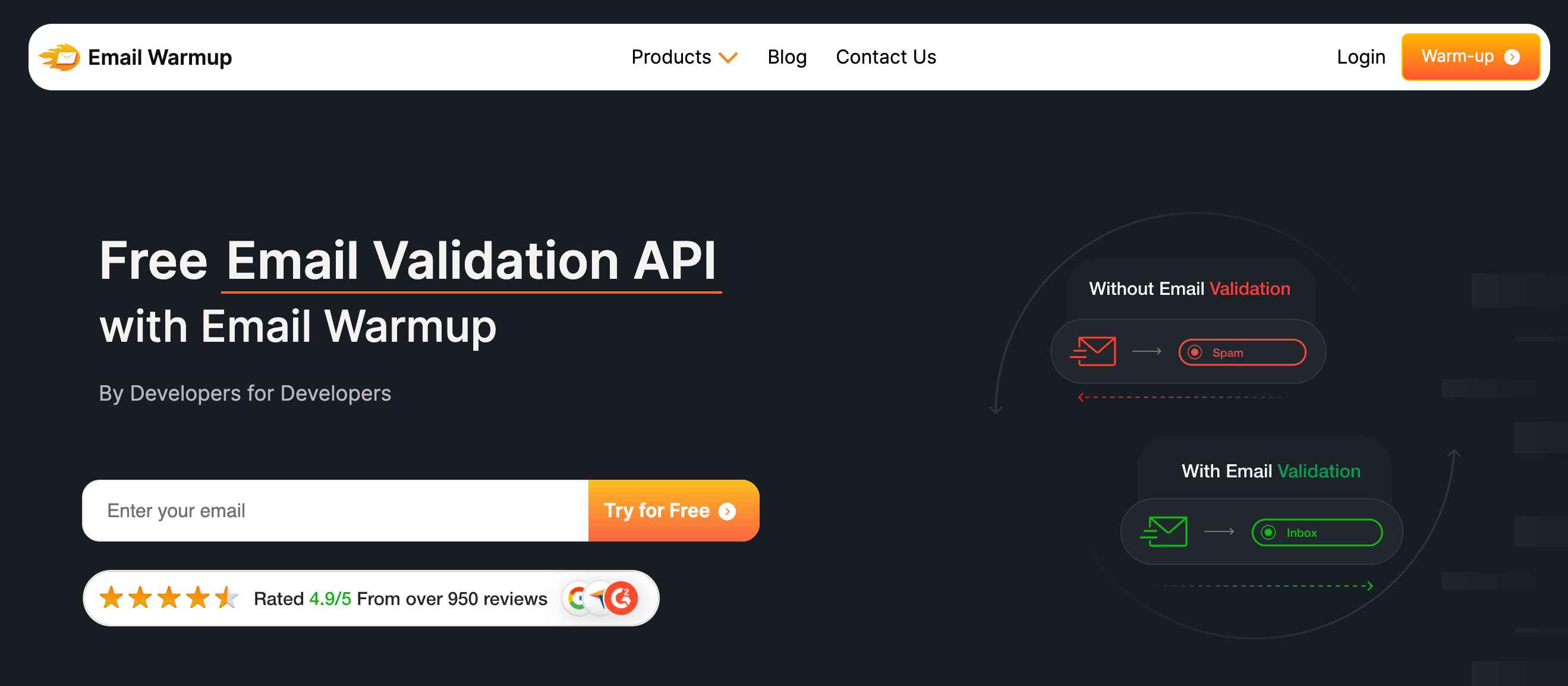
This email API service for developers catches disposable emails, spam traps, and typos before they enter your CRM.
It follows enterprise security standards with minimal data retention (your data stays protected). Most importantly, it prevents the reputation damage that takes months to recover from.
REST/JSON architecture with SDKs in 8 programming languages makes integration straightforward.
The OAuth or SMTP setup takes seconds without complicated configuration. Perfect for developers who want to protect their sender reputation from the start, especially those planning to scale email volume later.
The free-tier includes validation credits for new accounts, unlimited warm-up for starter inboxes
Capabilities
- API integration in minutes
- Bulk validation for large lists
- Detailed validation reports and insights
- Real-time email verification with 99%+ accuracy
- 50+ native integrations (GCP, AWS, Azure, Zapier, HubSpot, Salesforce)
Pros & cons of this API
| Advantages | Cons |
| Enterprise-grade validation accuracy | Focused on validation, not sending |
| 50+ native integrations | Limited free validation credits |
| Minimal data retention policy | |
| Fast API response times |
When should you upgrade from free plans?
Several clear indicators suggest moving beyond free tiers.
Recognizing these signs early prevents service disruptions and reputation damage that take months to recover from (trust us, reputation recovery is painful).
Volume constraints become problematic
You consistently approach or exceed daily/monthly email caps, causing delays in critical communications.
Your users start experiencing delayed password resets or order confirmations (not a good look for any business).
When email queuing becomes a regular part of your deployment process, it’s time to consider upgrading.
Deliverability issues emerge
High bounce rates or spam folder placement indicate reputation problems.
Free plans often use shared IP addresses, meaning other users’ poor practices affect your email deliverability. When your open and click-through rates start dropping consistently, it’s time to consider dedicated resources.
Support becomes essential
Free tier support typically means community forums and documentation.
When email delivery impacts business operations, direct support access becomes crucial for rapid problem resolution (especially during weekend outages when you’re panicking).
Critical email failures can’t wait for community forum responses.
Advanced features are necessary
You need A/B testing, detailed segmentation, advanced email templates, or webhook integrations exceeding free plan capabilities.
Your marketing team starts asking for features that simply don’t exist in free tiers. Custom domain authentication becomes mandatory for professional branding.
The upgrade decision often happens around 1,000-5,000 emails monthly, depending on your specific requirements and tolerance for limitations.
What hidden costs should you expect with free email APIs?
While monetary cost stays zero, other factors create significant expenses down the road.
Understanding these helps you make smarter decisions about when to upgrade or switch providers (because “free” sometimes costs more than paid).
Reputation risks represent the biggest hidden cost
Many free services use shared IP pools. If another user sends spam from the same IP range, your emails suffer reputation damage.
Rebuilding sender reputation takes months and often requires switching providers entirely (which means starting from scratch).
I’ve seen startups lose months of growth because their “free” email service got blacklisted.
Feature limitations force expensive workarounds
Missing analytics might require third-party tracking tools. Lack of automation features could necessitate custom development work.
Limited template options might mean hiring designers for email layouts. These costs often exceed what you’d pay for a premium plan from the start.
Support gaps create operational risks
When emails stop delivering (and they will), free-tier users wait for community responses or dig through documentation.
Revenue-generating applications can’t afford these delays, especially during critical business hours.
I’ve seen companies lose customers because password reset emails failed over a weekend with no support available.
Integration constraints limit technology choices
Some free email APIs work better with specific frameworks or programming languages.
Changing providers later means rewriting integration code (a hidden development cost that hits when you can least afford the time).
What seems like a simple API switch can require days of development work.
How do you choose the right free email API?
Here are some factors to consider while choosing the right free email API for yourself:
Match the API to your current needs and technical comfort level
Don’t overthink the initial choice (most applications can switch providers later if needed). Focus on getting your first emails delivered successfully, then optimize based on actual usage patterns.
Consider your team’s technical expertise first
If you’re comfortable with AWS infrastructure, Amazon SES offers excellent value despite setup complexity. If you need something working quickly, services like Brevo or AhaSend provide simpler onboarding experiences.
Evaluate your volume requirements realistically
MailerSend’s 3,000 monthly emails work well for growing applications, while Postmark’s 100 monthly emails suit testing and low-volume needs. Remember that email volume often grows unpredictably as your application gains users.
Think about your long-term needs early
If you’ll eventually need marketing features, starting with Brevo or Mailjet saves migration effort later. If reliability is paramount, Postmark’s developer-focused approach pays dividends for critical transactional emails.
Email deliverability starts before you send your first message
Clean email lists prevent reputation damage that can take months to recover from.
EmailWarmup.com’s Email Validation API ensures you’re only sending to valid addresses, protecting your sender reputation from day one — and that protection becomes more valuable as your email volume grows.
You can also test your email deliverability with our free tool.
Frequently asked questions
Here are some frequently asked questions on the topic:
Yes, but it’s generally not recommended. Managing multiple APIs increases complexity and makes troubleshooting difficult. Most developers choose one primary service and keep a backup API configured but unused. If you need multiple APIs for different purposes (transactional vs. marketing emails), ensure you’re not violating any terms of service.
Switching typically takes 1-3 days for basic setups, longer for complex integrations. The main time consumers are DNS record propagation (24-48 hours) and sender reputation building (varies by provider). Plan switches during low email volume periods and always test thoroughly in staging environments.
Most major providers (Mailgun, MailerSend, Amazon SES) offer global delivery, but specific features and deliverability can vary by region. Brevo and Mailjet APIs work globally but may have different compliance requirements in certain countries. Always check provider documentation for your target regions.
Behavior varies by provider. Some services like Brevo require manual requeuing after hitting daily limits, while others reject additional sends immediately. Amazon SES starts charging automatically if you exceed free limits. Always monitor usage closely and set up alerts before reaching limits.
Technical capability exists, but most free tiers aren’t designed for marketing volume. Marketing emails have stricter compliance requirements (CAN-SPAM, GDPR) that might need premium features like unsubscribe management and list segmentation. Consider dedicated marketing platforms for newsletter campaigns.
Free plans typically provide basic bounce handling through webhooks or API endpoints. However, advanced features like automatic list cleaning or detailed bounce categorization often require paid upgrades. Monitor bounce rates closely (consistently high rates can lead to account suspension even on free plans).
Yes, all providers prohibit spam, phishing, and illegal content. Some have additional restrictions on adult content, cryptocurrency, or affiliate marketing. Review the terms of service carefully, especially if your application serves user-generated content. Violations can result in immediate account termination.
Moderate concern is appropriate. While switching providers is possible, it requires code changes and potentially affects your sender reputation. Design your email system with abstraction layers that make switching easier. Avoid provider-specific features until you’re confident in your choice.



