



QuickMail replaced its original auto-warmer with a native MailFlow integration, offering free warmup for all QuickMail users.
The integration automates inbox warming via MailFlow’s network of users, with deliverability scores available directly in QuickMail’s dashboard.
The pitch sounds appealing — warmup bundled with your outreach tool, no extra subscription. But how does an integrated warmup compare to standalone tools built specifically for sender reputation protection?
This review examines whether QuickMail’s MailFlow integration delivers reliable results. In this guide, you’ll learn:
- What the current pricing structure includes
- Who should use QuickMail’s warmup, and who should skip it
- How the MailFlow integration compares to dedicated warmup tools
- Where the integration falls short in practice
Quick skim — QuickMail Auto Warmer overview
Here’s the snapshot before the detailed breakdown.
| Category | Verdict |
| Best for | Existing QuickMail users wanting bundled warmup |
| Starting price | Free with QuickMail (plans start at $9/month) |
| Free trial | 14-day trial includes MailFlow integration |
| Standout feature | Deliverability AI with automatic sender swapping |
| Biggest weakness | Platform lock-in; warmup tied to QuickMail subscription |
| Best alternative | EmailWarmup.com |
| Overall rating | 3.2 / 5 |
How we evaluated QuickMail Auto Warmer
The assessment reflects how consultants evaluate warmup tools for real implementations — separating marketing claims from operational reality.
We examined:
- Official feature documentation
- Integration architecture with MailFlow
- Deliverability AI monitoring capabilities
- Platform dependency and lock-in factors
- Pricing value against standalone warmup tools
Is QuickMail Auto Warmer worth it?
The MailFlow warmup integration comes free with all QuickMail plans. Understanding the full cost picture is important for budget decisions.
QuickMail pricing (warmup included)
| Plan | Monthly Cost | Email Senders | Monthly Emails |
| Starter | $9 | 1 | 3,000 |
| Growth | $99 | Unlimited | 100,000 |
| Agency | $299 | Unlimited | 300,000 |
Free MailFlow warmup comes bundled across all tiers — a genuine added value for teams already using QuickMail for outreach.
Cost analysis
For teams committed to QuickMail, bundled warmup eliminates the need for a separate $30–50/month subscription. The Starter plan at $9/month offers an accessible entry point for testing.
For teams only needing warmup (without the outreach platform), paying even $9/month for a bundled feature may make less sense than a dedicated warmup tool with more control.
The 14-day free trial includes MailFlow access for evaluation.
What do real deliverability results show?
QuickMail pairs MailFlow warmup with its own Deliverability AI layer — monitoring that goes beyond basic warmup activity.
Performance capabilities
QuickMail’s Deliverability AI analyzes data points daily to identify account health issues.
When performance declines on specific senders, the system automatically swaps weaker accounts for stronger ones through Smart Sender Groups.
The platform provides SPF and DKIM monitoring along with daily checks against 96 blacklists — useful safeguards for teams managing multiple domain reputation concerns.
Network considerations
MailFlow operates through a network of users who exchange warmup emails.
Some deliverability practitioners express concern that warmup networks (where users primarily email each other) may generate signals that major providers can identify over time. This concern applies broadly to network-based warmup tools, not just MailFlow specifically.
Independent inbox placement testing remains the most reliable way to verify actual deliverability beyond warmup dashboard metrics.
What are QuickMail Auto Warmer’s strengths and weaknesses?
Every warmup tool involves trade-offs. Here’s where the MailFlow integration delivers — and where it falls short.
Free warmup bundled with platform — no separate subscription needed.
Deliverability AI automatically swaps weak senders for stronger accounts.
SPF and DKIM monitoring plus daily blacklist checks across 96 lists.
Inbox rotation distributes sending volume across multiple accounts.
Platform lock-in — warmup access ends if you cancel QuickMail.
DNS setup (SPF, DKIM, DMARC) requires manual configuration.
No built-in inbox placement testing to verify actual delivery results.
Starter plan limits to 1 email sender and 3,000 monthly emails.
Who should and should not use QuickMail Auto Warmer?
The right fit depends on your existing tech stack and deliverability priorities.
Recommended if
- Already using QuickMail for cold outreach
- Running light-to-moderate sending volumes
- Comfortable with manual email authentication setup
- Prioritizing convenience over maximum deliverability control
Not recommended if
- Require warmup for marketing ESPs outside QuickMail’s ecosystem
- Scaling high-volume campaigns across many domains
- Need warmup independent of your sending platform
- Want verifiable inbox placement testing built-in
Category scorecard
| Category | Score | Notes |
| Pricing | 4/5 | Free with platform; Starter at $9 is accessible |
| Ease of setup | 3/5 | DNS requires manual work; warmup itself is simple |
| Core functionality | 3/5 | Basic warmup with Deliverability AI layer |
| Deliverability impact | 3/5 | Good monitoring, limited placement verification |
| Diagnostics depth | 3/5 | SPF/DKIM + blacklist checks; no DMARC monitoring |
| Reporting | 3/5 | Deliverability scores available, accuracy varies |
| Support | 4/5 | QuickMail support praised consistently |
| Scalability | 3/5 | Starter is limited; Growth/Agency scale better |
| Provider compatibility | 3.5/5 | Google/Microsoft covered well |
| Overall value | 3.5/5 | Decent bundled value for existing users |
How does QuickMail Auto Warmer actually perform?
Day-to-day operations reveal the practical reality behind feature descriptions.
Setup
QuickMail replaced its original auto-warmer with a native MailFlow integration. Connecting email accounts follows standard authentication flows for Google Workspace and Microsoft 365.
The friction is that SPF, DKIM, and DMARC records require manual configuration. QuickMail monitors SPF and DKIM, but doesn’t automate the initial setup.
Warmup behavior
MailFlow sends warmup emails through its network of users, generating opens and replies to build positive signals.
QuickMail’s “Reword with AI” feature varies email content, while spintax rotates words and phrases to avoid templated patterns.
Deliverability AI monitors account health continuously. When performance drops, the system pauses weak senders and rotates to healthier accounts via Smart Sender Groups.
Monitoring gaps
QuickMail doesn’t include built-in inbox placement testing. Users should verify actual email deliverability through third-party tools rather than relying solely on warmup metrics.
What happens after you stop using it?
Warmup access ends when you cancel QuickMail — the MailFlow integration is tied directly to the platform subscription.
Sender reputation built during warmup persists with providers (Gmail remembers your sending history), but ongoing warming stops immediately. Teams switching platforms need to establish warmup with their new tool.
A better alternative to QuickMail | EmailWarmup.com
If you want warmup independent of your sending platform, EmailWarmup.com offers a more flexible approach.
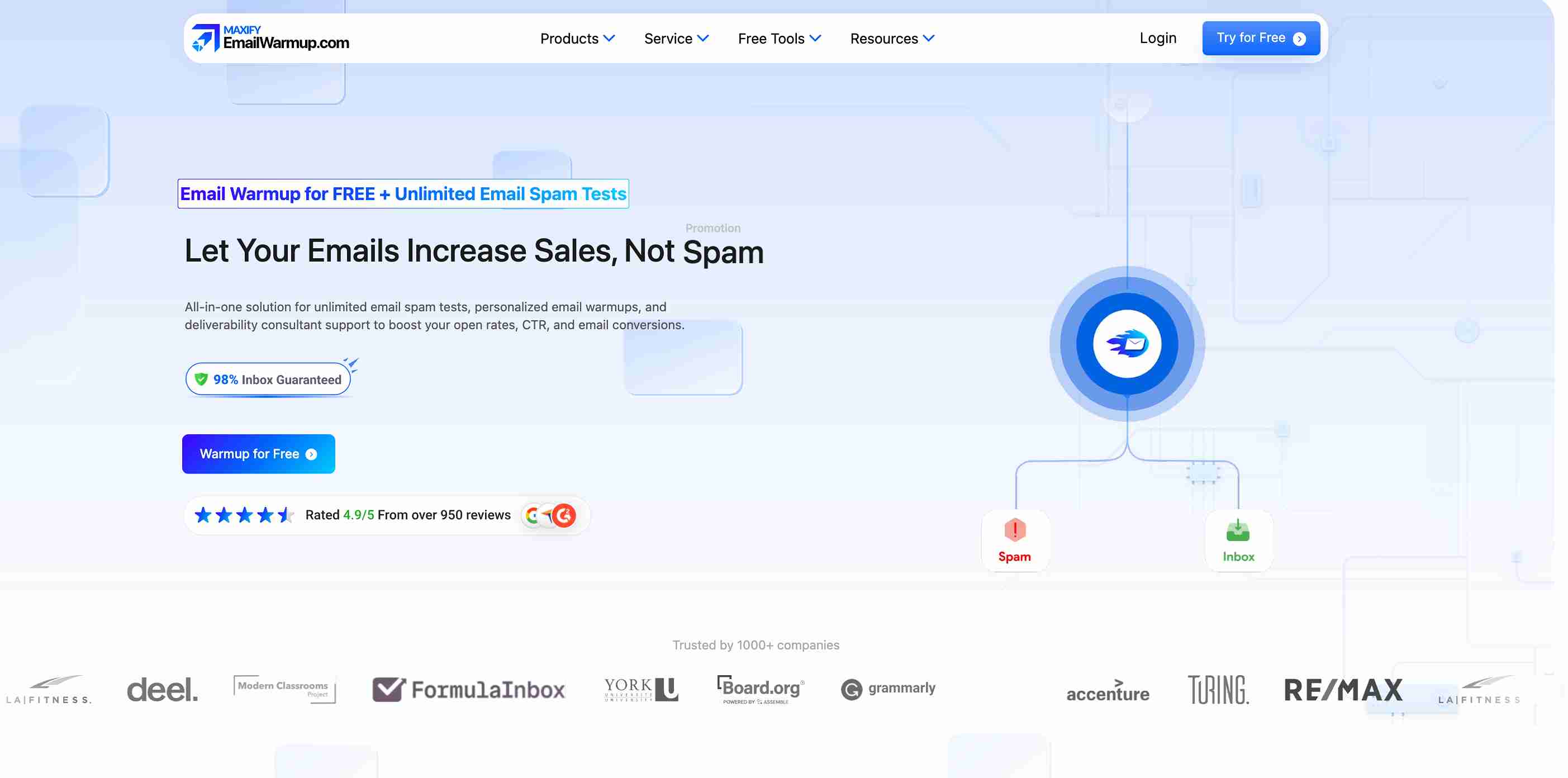
The platform provides an AI-driven warmup that adapts to actual sending patterns. EmailWarmup’s Pro plan starts at $29/mailbox/month and works with any ESP or sales platform — no lock-in.
Key capabilities:
- Free SPF, DKIM, DMARC generators
- Email warmup API for programmatic control
- Personalized warmup adapting to real sending behavior
- Unlimited email deliverability testing across 50+ providers
Final verdict
QuickMail’s MailFlow integration delivers an acceptable warmup for existing users.
The bundled approach saves money, Deliverability AI catches account problems early, and the $9 Starter plan offers accessible entry.
The limitation is independence. Platform lock-in means losing warmup access if you switch tools, DNS setup remains manual, and inbox placement testing requires external verification.
For teams where deliverability determines revenue, standalone warmup tools provide more control.
Frequently asked questions
Here are some commonly asked questions about QuickMail:
MailFlow warmup is included at no extra cost with all QuickMail plans. The platform starts at $9/month for Starter.
No. The MailFlow integration only works within QuickMail — you cannot use it independently with other outreach tools or ESPs.
The system analyzes account health metrics daily. When performance drops on specific senders, it automatically swaps those accounts for stronger ones through Smart Sender Groups.
QuickMail provides SPF and DKIM monitoring along with daily checks against 96 blacklists. DMARC setup and monitoring require separate tools.



