



Mailgun has been the API-first choice for developers who need reliable transactional email for over a decade. The platform handles sending, receiving, tracking, and validating email through REST APIs and SMTP relay — a stack trusted by Microsoft, Slack, Reddit, and Stripe. On paper, the credentials are strong.
The reality in 2026 is more mixed. Trustpilot shows a 4.1/5 rating across 1,479 reviews, with 72% five-star ratings — a solid score compared to rivals like SendGrid (1.2/5).
However, the-19% one-star segment reveals a familiar pattern across email APIs (accounts disabled without explanation, phone-verification bugs, and support that sometimes vanishes during production outages).
Mailgun works well when it works. The API documentation is clean, the deliverability tooling through Mailgun Optimize is strong, and the webhook architecture gives teams deep visibility into delivery events. The question is whether the operational risk — particularly for newer or smaller accounts — is worth the investment.
This review covers:
- The account stability and support experience
- Pricing across tiers and where value breaks down
- Mailgun’s email API capabilities and deliverability tooling
- How Mailgun fits into transactional and marketing email workflows
TLDR: Mailgun at a glance
Here is a quick snapshot of where Mailgun stands in 2026.
| Category | Detail |
| What it is | API-first email delivery platform for transactional and marketing email |
| Best for | Development teams integrating email into applications and SaaS platforms |
| Deliverability impact | Direct — provides inbox placement testing, email validation, and blocklist monitoring |
| Main limitation | Developer-only orientation; account suspension risk for new signups |
| Best-fit user | Engineering teams comfortable with REST APIs and SMTP relay |
| EmailWarmup.com alternative fit | Email API for deliverability-focused sending at scale |
Is Mailgun’s pricing competitive for email infrastructure?
Mailgun Send starts at $35/month for 50,000 emails — a reasonable entry point for development teams building email into production applications. Overage runs $1 per 1,000 emails. A free sandbox lets you send 5,000 emails/month to 5 authorized addresses for testing.
Mailgun Optimize (the deliverability suite) is separate, starting at $49/month for 2,500 email validations and 25 inbox placement tests. The separation means teams that need both sending and deliverability tools are looking at $84/month minimum — before volume overages.
The pricing comparison against alternatives:
| Platform | Starting price | Included emails | Deliverability tools |
| Mailgun Send | $35/month | 50,000 | Analytics, webhooks, routing |
| Mailgun Optimize | $49/month | N/A | Validation, placement testing, monitoring |
| SendGrid Essentials | $19.95/month | 50,000 | Basic analytics (no dedicated IPs) |
| Amazon SES | ~$5/month | 50,000 | Minimal (self-managed) |
Mailgun costs more than SES but offers significantly better tooling. Compared to SendGrid, Mailgun’s higher starting price buys a better support experience and avoids the shared IP risks that plague SendGrid’s lower tiers.
What Mailgun’s track record reveals about email delivery performance
Mailgun’s deliverability tooling is its strongest differentiator. The platform goes beyond raw sending to provide visibility into why emails land where they do.
Inbox placement
Mailgun Optimize includes seed-list-based inbox placement testing across Gmail, Outlook, Yahoo, and other providers. The reports break down placement by provider and surface authentication, content, and reputation issues that cause spam-folder delivery. Few email APIs offer this level of diagnostic depth at comparable price points.
Email validation
The built-in email validation tool checks addresses individually or in bulk, with API integration for real-time form validation. Mailgun claims bounce rates under 0.5% for teams using validation consistently — a figure that aligns with the broader user feedback on G2 and Trustpilot.
Account stability
The negative reviews reveal a pattern similar to (though less severe than) SendGrid.
Multiple Trustpilot and Reddit users report accounts disabled during or immediately after signup, with support providing no specific reason.
One Trustpilot reviewer described a phone verification bug that prevented account activation entirely. Mailgun’s support team responds to most negative reviews on Trustpilot (57% reply rate), which is more than many competitors manage — but the underlying problem persists.
Pros and cons of Mailgun
Mailgun’s API infrastructure is strong, and the Optimize deliverability suite adds real value. The operational risk around account stability and support responsiveness tempers the recommendation.
- Inbox placement testing and email validation in the Optimize suite
- Developer-friendly REST API with SDKs in 7+ languages
- Event webhooks for real-time delivery event tracking
- Blocklist and reputation monitoring protects sender health
- Template builder with drag-and-drop editor simplifies transactional design
- New accounts sometimes disabled without explanation
- Live support limited to higher-tier plans (Scale and above)
- Requires developer resources — not accessible for non-technical teams
- Send and Optimize sold separately, raising total cost
- Phone verification bugs reported by multiple users in 2026
Who should and shouldn’t use Mailgun
Mailgun is a developer tool. The fit depends almost entirely on whether your team has the technical depth to leverage API-first infrastructure and the budget to invest in higher support tiers.
Who should use Mailgun
- Development teams building transactional email into web apps or SaaS platforms
- Engineering-led organizations comfortable with REST APIs and SMTP configuration
- Teams that want inbox placement testing and validation alongside their sending API
- Agencies managing multiple sending domains through subuser management
Who shouldn’t use Mailgun
- Small businesses that need plug-and-play email delivery without coding
- Teams that require guaranteed same-day support for production outages
- Non-technical teams without developer resources for integration and maintenance
- Senders who need deliverability expertise (consultation, authentication setup, reputation repair) alongside infrastructure
Mailgun scorecard for email infrastructure teams
Here is how Mailgun rates across the categories that matter when evaluating email API platforms.
| Category | Rating | Notes |
| API quality | ★★★★★ | Best-in-class documentation, SDKs, and webhook architecture |
| Deliverability tools | ★★★★☆ | Optimize suite adds placement testing, validation, and monitoring |
| Support | ★★★☆☆ | Responsive on higher tiers; slow or absent on lower plans |
| Account stability | ★★★☆☆ | Better than SendGrid; still reports of unexplained suspensions |
| Pricing value | ★★★½☆ | Reasonable but split pricing for Send + Optimize adds up |
| Ease of setup | ★★★☆☆ | Developer-friendly; steep curve for non-technical users |
How Mailgun fits into a production email workflow
Mailgun operates as infrastructure — the layer between your application and the recipient’s inbox. Understanding how it fits requires thinking about the full sending pipeline.
Integration
API or SMTP integration typically takes 2-5 hours for experienced developers. SDKs for Node.js, Python, PHP, Ruby, Java, C#, and Go cover the major stacks. The sandbox domain lets teams test without registering a production domain first.
Template management
The drag-and-drop editor handles transactional templates (receipts, confirmations, password resets) adequately. Templates are exported through a template API, enabling version management and A/B testing programmatically. The visual design options are basic compared to marketing platforms — but transactional email rarely needs elaborate design.
Delivery monitoring
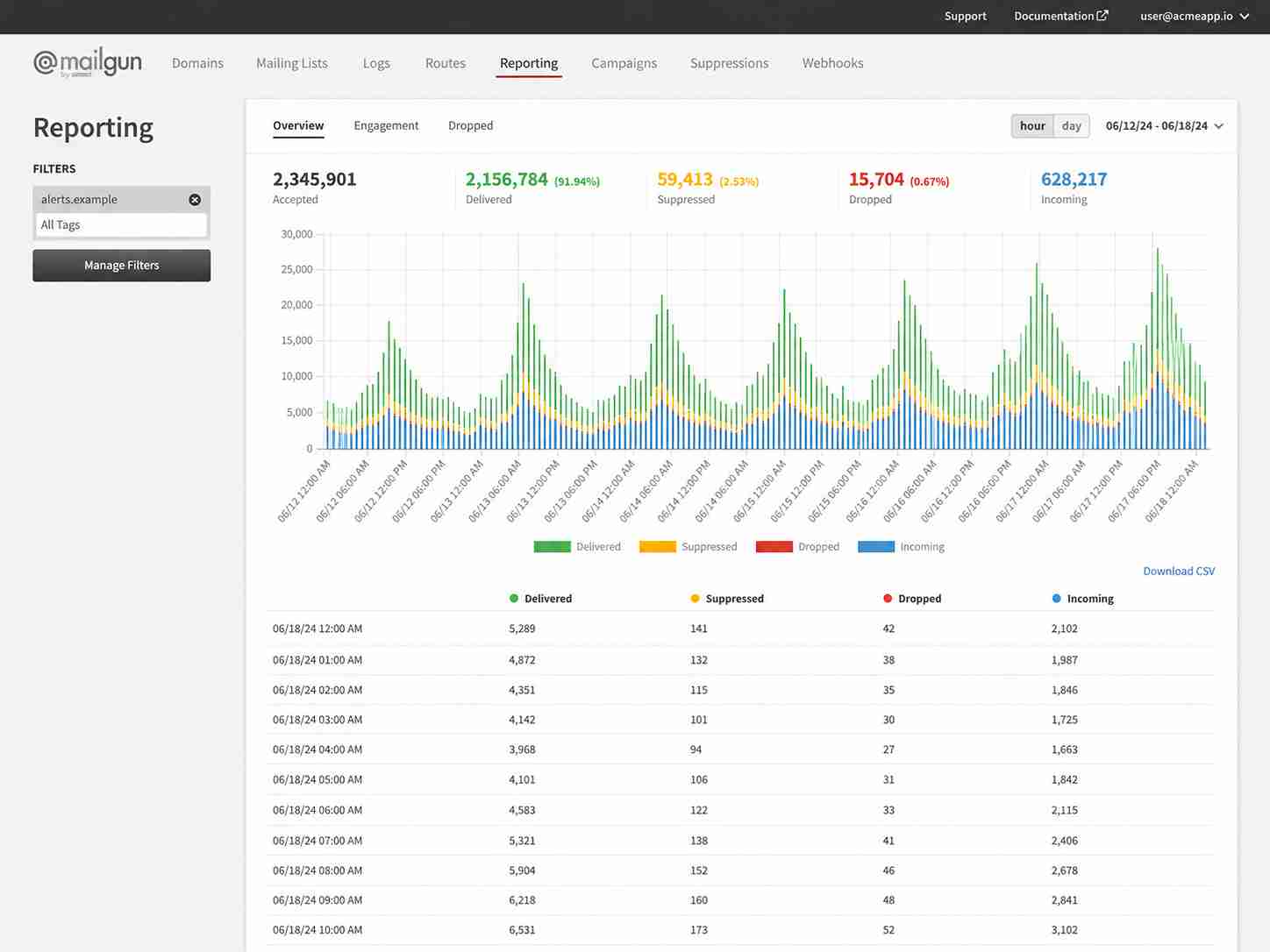
Event webhooks POST delivery events (opens, clicks, bounces, complaints, unsubscribes) to custom endpoints in real time. The Logs API tracks every email with filterable event data. The monitoring depth is a genuine strength — teams can diagnose deliverability problems at the individual message level.
Validation workflow
Mailgun’s email validation tool integrates at the form level (real-time API) or in bulk. Pre-send validation reduces bounce risk, and the platform automatically suppresses addresses that have previously bounced, unsubscribed, or complained.
What happens after you stop using Mailgun?
Migration from Mailgun is straightforward given the API-first architecture. Switching SMTP credentials or API endpoints to another provider (Postmark, Amazon SES, or a different platform) typically requires minimal code changes.
IP reputation built on Mailgun does not transfer. Teams moving to a new provider need to warm up new IPs and update DNS records for SPF, DKIM, and DMARC. Mailgun’s Optimize data (placement test history, validation results) stays in the platform and cannot be exported to a new provider.
For high-volume senders, the migration window — including IP warmup — can take 4-8 weeks to execute safely.
A better alternative to Mailgun | EmailWarmup.com
Mailgun provides email infrastructure. EmailWarmup.com provides email infrastructure with the deliverability expertise that turns infrastructure into inbox placement.
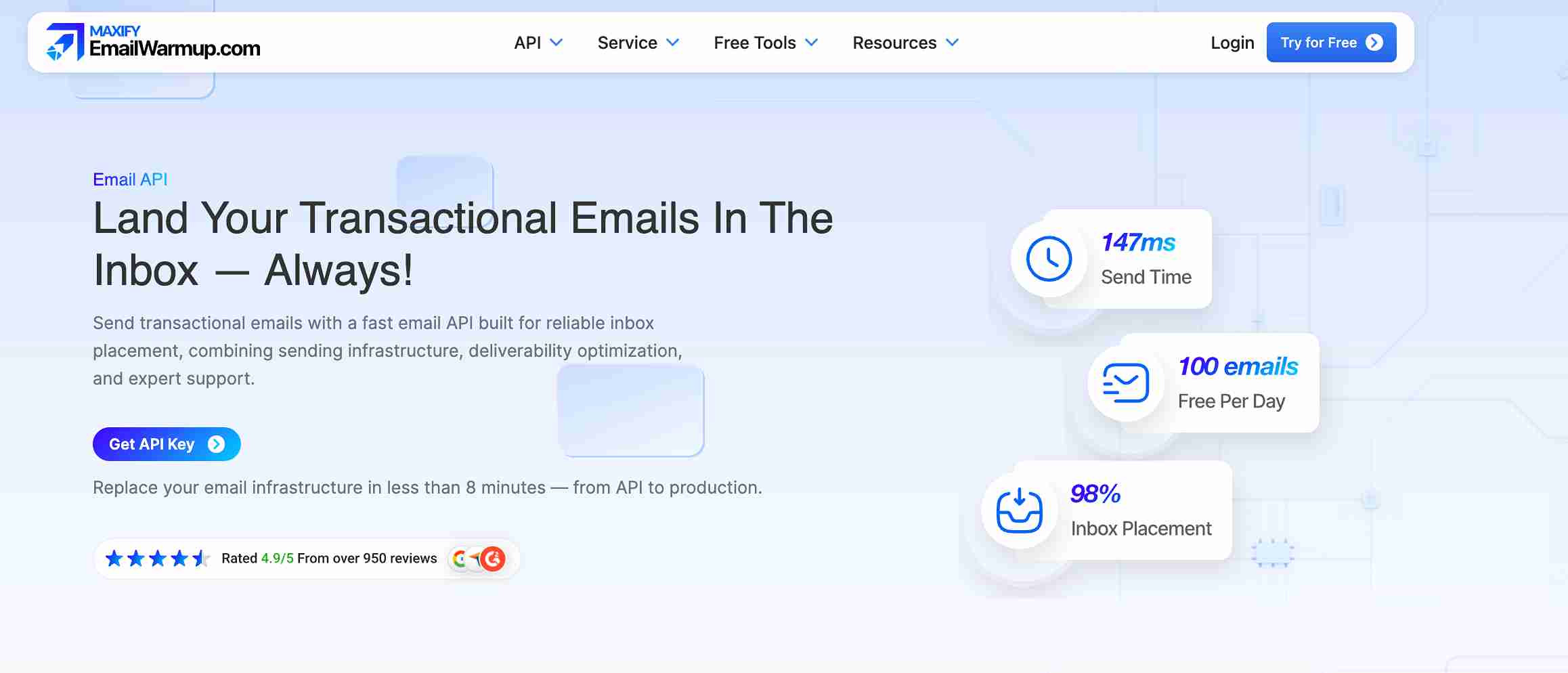
EmailWarmup.com’s email API supports reliable sending at scale, backed by a system that goes beyond pipes:
- Authentication setup and monitoring for SPF, DKIM, and DMARC
- Blacklist remediation and reputation repair when problems surface
- A 360° deliverability audit identifies every issue hurting placement before you scale
- Unlimited deliverability consultation from real experts — not chatbots or ticketing queues
Mailgun tells you where your emails landed. EmailWarmup.com diagnoses why they landed there and fixes it.
Final verdict on Mailgun
Mailgun remains a strong email API for development teams that need transactional email infrastructure with deliverability visibility. The Optimize suite adds genuine value that most competitors charge separately for (or do not offer at all).
The tradeoffs to weigh:
- Live support is gated behind higher-priced tiers
- Send and Optimize pricing add up when both are needed
- Non-technical teams will struggle with the API-first orientation
- Account suspensions still affect new signups, though less frequently than SendGrid does
For engineering teams with the resources to manage API-first infrastructure, Mailgun is a reasonable choice. For teams that need deliverability expertise alongside infrastructure, the platform quickly reaches its ceiling.
Frequently asked questions about Mailgun
Here are the most common questions buyers ask before choosing Mailgun.
Yes. Mailgun is built specifically for transactional email — password resets, order confirmations, notifications, and similar triggered messages. The API, webhook tracking, and template management are designed for this use case. Marketing email is supported but is not the platform’s primary strength.
Mailgun has a significantly better reputation in 2026 (4.1/5 on Trustpilot vs. SendGrid’s 1.2/5). Both offer API and SMTP-based email delivery. Mailgun’s Optimize suite provides stronger deliverability tooling, while SendGrid offers a lower entry price and broader marketing email features. Account stability issues affect both platforms, though SendGrid’s are more severe and widespread.
Mailgun Optimize includes inbox placement testing, email validation, and blocklist monitoring — tools that directly address deliverability. However, Mailgun does not offer deliverability consultation, hands-on authentication setup, or reputation repair services. Teams with complex deliverability problems will need external expertise beyond what the platform provides.
With difficulty. Mailgun is designed for developers and requires API or SMTP configuration. The drag-and-drop template editor is accessible, but setup, domain verification, and integration all require technical knowledge. Non-technical teams should evaluate alternatives with more guided onboarding.



