



The SpamCop Blocking List (SCBL) — also called the SpamCop blacklist or DNSBL — is a crowd-sourced, real-time database of IP addresses flagged as active spam sources, operated by Cisco Talos. Getting listed blocks your mail at ISPs and private servers that query the list in real-time. Unlike most blocklists, the SCBL has no manual delisting form — removal happens automatically once spam reports stop, typically within 24–48 hours, but every new complaint resets that clock.
If your IP is on the SCBL, fixing the root cause is the only path forward.
In this guide, you’ll learn:
- How SpamCop blacklist differs from Spamhaus
- What to do after the listing expires to avoid relisting
- How SpamCop’s scoring and listing mechanism works
- What triggers a listing — and the weights behind each signal
- Why disputes rarely help and what actually gets you delisted
Quick skim — SpamCop at a glance
The cards below capture the key facts before you take any action.
SpamCop SCBL — key facts
What is SpamCop, and how does it actually work?
SpamCop blacklist is a DNS-based blocking list (DNSBL) tracking IP addresses that are currently sending spam — not ones that sent spam a year ago. That focus on recency is what makes it dynamic, and also what makes it more aggressive than most blocklists — a single batch of reports can list your IP within hours.
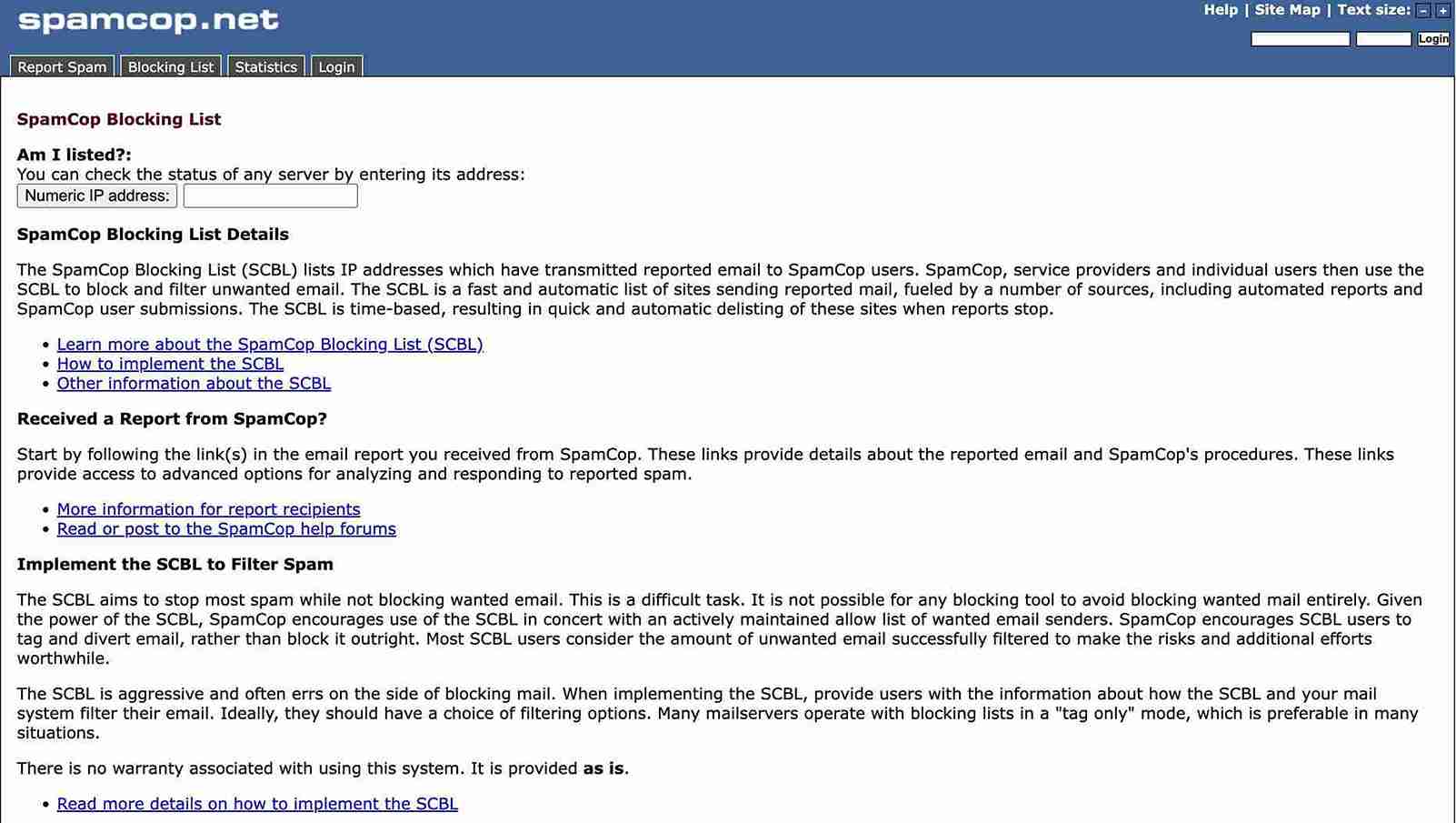
The system pulls data from two sources.
Registered users submit spam emails directly, while SpamCop parses the full headers to trace the originating IP and logs a complaint. In parallel, SpamCop maintains hidden spam trap addresses — inactive accounts that should never receive legitimate mail — and automatically flags any IP that contacts them. Both feeds flow into a weighted scoring engine that determines whether a listing threshold has been crossed.
One real-world context worth knowing is that in 2021, SpamCop briefly failed to renew its domain, causing a global outage that blocked countless legitimate emails worldwide. The service recovered, but the incident highlighted how centralized this infrastructure is — and why email deliverability strategies can’t rely on any single point in the filtering chain.
How does SpamCop blacklist score and list an IP?
Not every complaint triggers a listing. SpamCop’s scoring engine weighs signals differently based on type, age, and volume — which means understanding the weighting is the fastest way to understand your removal timeline.
SpamCop signal weights — how the scoring engine sees your IP
The shared IP row is the one that surprises most senders. On platforms like Marketo or Microsoft Exchange Online, you can follow every sending best practice and still get dragged onto the SCBL because another account on your shared IP is hitting traps.
In those cases, individual remediation alone won’t move the clock — the provider has to control total spam volume from that address pool. A dedicated IP eliminates this exposure entirely, though it requires its own warmup period to establish a reputation.
How do you get removed from the SpamCop blacklist?
There is no delisting form. Removal is automatic — once fresh spam reports stop arriving and existing ones age past 48 hours, the listing expires on its own.
Filing a dispute through SpamCop’s community forum is available for genuine technical errors, but for the overwhelming majority of listings, waiting out the clock after fixing the root cause is both faster and more reliable.
The clock reset mechanic is what most senders miss. They identify the problem, fix it, but continue sending from the same IP — and each new report from their still-active sends pushes the expiry window out further.
Fix first, pause second
Around 85% of SpamCop listings originate from malware or compromised server accounts, not deliberate bad practice. That’s the first thing to audit.
Run deep server-side scans for hidden spam scripts and backdoors. Secure any contact forms with CAPTCHA (spambots routinely exploit open forms to send unauthorized volume at scale). Check outbound SMTP logs for spikes you didn’t initiate.
If the listing isn’t security-related, the culprit is almost always email list hygiene. SpamCop’s spam traps are often addresses that were valid but inactive for over 12 months — exactly the kind of contact that accumulates in unscrubbed lists.
Sending to a list that naturally decays at roughly 22.5% annually without regular cleaning will eventually hit those traps. Remove contacts who haven’t engaged in six months, process unsubscribes within 24 hours, and stop mailing anyone who hasn’t actively opted in.
Pause sends while the listing is active
Once the fix is in place, pause sending from the affected IP. Every outbound email risks generating another complaint that resets the timer. For a first offense, 24 hours of silence is usually enough — after which you can resume at reduced volume and scale up.
When disputes are worth filing
Disputes are appropriate in two specific scenarios:
- A technical error in SpamCop’s system
- Or a user who mistakenly reported a confirmed opt-in mail
If filing one, you’ll need your administrator name and role, the SpamCop reference number, a specific explanation of why the listing is wrong, and supporting evidence — double opt-in confirmation logs work well here. For any standard listing caused by actual spam reports, disputes add process time without shortening the clock.
How does SpamCop blacklist compare to Spamhaus?
The two lists are often confused because they serve the same general purpose, but they operate on fundamentally different philosophies — and knowing which one is blocking you changes what you do next.
| Factor | SpamCop SCBL | Spamhaus |
| Listing source | Crowd-sourced + spam traps | Pattern-based, analyst-verified |
| Expiry | Automatic — 24–48 hours | Manual delisting required |
| Aggressiveness | High — false positives possible | Conservative — harder to land on |
| Deliverability impact | ISPs, hosts, private servers | Global — very high impact |
| Operated by | Cisco Talos | Independent nonprofit |
A SpamCop listing without a simultaneous Spamhaus listing is a focused, time-limited problem. Appearing on both simultaneously points to a systemic infrastructure failure — and a single removal request won’t solve it. That combination usually warrants a full email deliverability audit before resuming any significant sending volume.
What should you do after the listing expires?
Delisting is not the end of the problem. A SCBL event creates what practitioners call reputation drag — Gmail, Outlook, and other major providers factor blacklist events into their own internal sender reputation scoring, sometimes for weeks after the listing clears. Recovery requires generating positive engagement signals, not merely stopping the negative ones.
Post-listing recovery — recommended sequence
Authentication and testing
Every sending domain needs to pass SPF records, DKIM, and DMARC before you resume. Missing authentication signals poorly managed infrastructure to every filter that checks — SpamCop blackslist included. Use our free deliverability test to confirm how your authentication and inbox placement look across 50+ providers before scaling back up.
List hygiene, long-term
Spam complaints accumulate from the same underlying failure: sending to people who didn’t want the mail or can’t remember opting in.
Moving to confirmed double opt-in for new subscribers — and honoring unsubscribes within 24 hours — removes the primary complaint source over time. Opt-in email marketing discipline isn’t just good practice; it’s the structural defense against SpamCop spam traps.
Warmup after recovery
Returning to full volume before your IP reputation has recovered will often re-trigger spam filtering before positive signals have accumulated. Automated email warmup generates the kind of engagement data — real opens, replies, moves from spam to inbox — that provider filters use to reassess a domain’s trustworthiness.
If your deliverability problems extend beyond SpamCop — multiple blacklists, declining open rates, authentication failures — the issue is almost certainly systemic.
An email deliverability consultant can audit your full infrastructure, identify every gap, and guide your team through recovery with ongoing monitoring. EmailWarmup.com includes unlimited consultation as part of its platform, without upsells or piecemeal engagement.
SpamCop blacklist is just one check…
A SpamCop listing is often the first symptom of a broader infrastructure problem. EmailWarmup.com is an all-in-one deliverability platform that starts with a complete infrastructure audit — covering:
- Reputation
- Authentication
- Blacklist exposure
- Sending patterns
Once that is done, we then provide unlimited expert guidance through every fix, starting with a free consultation.
Frequently asked questions
Here are some commonly asked questions about SpamCop:
Not directly. Both providers use their own internal reputation systems rather than querying the SCBL. The deliverability impact of a SpamCop listing falls primarily on ISPs, web hosts, and private mail servers that do query the list. That said, the behavior generating reports — high complaint rates, spam trap hits — will damage your Gmail and Outlook placement through their own independent scoring over time.
A first-offense listing typically expires within 12–24 hours once reports stop arriving. Each new complaint resets the clock and extends the duration — with no maximum period. An IP that continues generating reports can remain listed indefinitely. Chronic offenders face extended blocks with scores that don’t decay predictably.
No. Standard listings have no manual delisting mechanism. Disputes are available specifically for technical errors or wrongful reports, but the resolution timeline through that channel is often slower than simply allowing the automatic expiry to run after fixing the root cause.
Around 85% trace back to compromised servers or mailboxes — not deliberate spamming. Contact form exploits, botnet infections, and hijacked accounts are the most common culprits. The remainder stems from poor list practices: stale contacts, purchased lists, and failure to suppress spam complaints quickly.
SpamCop is more aggressive, crowd-sourced, and expires automatically within 24–48 hours. Spamhaus is stricter in its listing criteria, covers both IPs and domains, carries a higher global impact, and requires an explicit delisting request after remediation. A SpamCop listing alone is a recoverable, time-limited issue. A Spamhaus listing is a more serious deliverability event.



