




Email deliverability is the ability of your emails to reach recipients’ inboxes rather than end up in spam folders or be blocked entirely.
Around 83% of marketing emails actually reach the inbox — the rest either end up in spam (10.5%) or vanish completely (6.4%).
Understanding deliverability separates successful email programs from wasted effort. If your emails never reach inboxes, nothing else matters — not your subject lines, not your offers, not your timing.
What is email deliverability?
Email deliverability measures how successfully your emails reach recipients’ primary inboxes versus landing in spam, promotions tabs, or getting rejected outright.

The term specifically refers to inbox placement after a receiving server accepts your message. Many people conflate deliverability with delivery, but the distinction is critical.
| Term | What It Means | Example |
| Email delivery | The server accepted the email | Your ESP shows 99% delivered |
| Email deliverability | Email reached the inbox | 85% actually landed in the primary inbox |
A 99% delivery rate means servers accepted your emails. However, those emails might still end up in spam folders, promotions tabs, or quarantine. Deliverability tracks where accepted emails actually land — and that’s what determines whether subscribers see your message.
Consider sending 10,000 emails with a 99% delivery rate. Your ESP reports success, yet 1,500 of those emails sit in spam folders. Your true inbox placement rate is 85%, not 99%. That 15% gap represents missed opportunities — subscribers who never see your message despite technical “delivery.”
For detailed benchmarks on what rates to expect, see our guide on email deliverability rate.
Why is email deliverability important?
Poor deliverability drains money directly. When 17% of your emails fail to reach inboxes (the current average failure rate), you’re losing potential revenue on every campaign.
The scale of the problem is staggering. According to our deliverability statistics research:
- ~176 billion spam emails circulate daily
- Gmail alone blocks over 15 billion spam emails per day
- 46-47% of all email traffic gets classified as spam or unwanted
Mailbox providers have responded by tightening spam filtering. Google, Yahoo, and Microsoft now require stricter authentication, easier one-click unsubscribe options, and lower complaint thresholds for bulk senders.
Emails failing these bulk sender requirements face automatic junking or rejection — regardless of content quality.
And the impact on revenue is critical. For a company sending 100,000 monthly emails with $150 average order value and 2% conversion:
| Deliverability Rate | Emails Reaching Inbox | Conversions | Monthly Revenue |
| 95% (excellent) | 95,000 | 1,900 | $285,000 |
| 83% (average) | 83,000 | 1,660 | $249,000 |
| Revenue Gap | — | 240 | $36,000/month |
That $36,000 monthly gap reflects the same marketing effort, the same content, the same targeting — just different deliverability. Over a year, the difference exceeds $430,000.
What affects email deliverability?
Mailbox providers evaluate multiple signals before deciding inbox placement. No single factor determines your fate, but certain elements carry more weight than others.
Sender reputation
Sender reputation functions like a credit score for your email program. ISPs track your sending history, complaint rates, bounce rates, and engagement patterns to assign a trustworthiness score.
Two reputation types exist. IP reputation ties to the sending IP address itself, while domain reputation ties to your sending domain. The choice between dedicated vs shared IP affects how much control you have over IP reputation specifically.
Domain reputation has grown increasingly important. Switching ESPs doesn’t reset a damaged domain reputation — the negative signals follow you. That’s why proper IP warming matters when establishing new sending infrastructure.
Authentication
Email authentication proves you’re a legitimate sender, not someone spoofing your domain. Three core protocols work together:
- SPF lists servers authorized to send from your domain
- DKIM adds a digital signature verifying message integrity
- DMARC tells receivers how to handle authentication failures
Additional protocols like BIMI (for brand logos) and MTA-STS (for transport security) provide extra verification layers.
Microsoft now requires all three core protocols for high-volume senders (5,000+ daily emails). Non-compliant messages get automatically routed to junk or rejected entirely — enforcement began May 5, 2025.
You can verify your setup using our SPF lookup, DKIM lookup, and DMARC lookup tools.
List quality
Your recipient list directly impacts deliverability through several mechanisms. Proper list hygiene addresses most of these issues:
- Invalid addresses damage reputation (keephard bounces under 2%)
- Repeatedly emailing non-openers signals unwanted mail
- Sending without explicit opt-in generates complaints
- Spam traps flag senders with poor list practices
Double opt-in significantly reduces list quality issues by confirming subscribers actually want your emails and typed their address correctly.
Maintaining proper suppression lists prevents sending to addresses that have bounced or complained. You can also use an email validation API to catch bad addresses in your list.
Content factors
While content alone rarely causes spam filtering anymore, certain patterns can trigger algorithmic flags:
- Heavy image-to-text ratios (avoid image-only emails)
- Missing unsubscribe links
- Misleading subject lines
- Excessive link density
- Broken HTML
Use an email spam checker to identify content issues before sending, or review tips for how to reduce your spam score.
Engagement signals
How recipients interact with your emails creates a feedback loop affecting future placement.
Positive signals include opens, clicks, replies, moving emails from spam to inbox, and adding senders to contacts. Negative signals include deleting messages without opening them, marking them as spam, and consistently ignoring messages.
ISPs weigh engagement heavily. A perfectly authenticated email sent to an unengaged list will still land in spam — positive signals prove subscribers actually want your messages. For context on expected engagement levels, see our guide to open-rate benchmarks.
What is a good email deliverability rate?
Benchmarks vary by email type, industry, and measurement methodology. However, general thresholds provide useful guidance. For detailed analysis, see our complete guide on email deliverability rate.
| Rating | Inbox Placement Rate | Implication |
| Excellent | 95%+ | Consistently reaching primary inbox |
| Good | 85-94% | Solid performance with room for improvement |
| Average | 80-85% | Notable portion missing inbox |
| Poor | Below 80% | Significant issues requiring immediate attention |
By email type
Transactional emails (password resets, order confirmations, shipping notifications) should achieve 95%+ inbox placement. Users expect these messages, and late arrival creates immediate business problems — support tickets, lost trust, and failed conversions.
Marketing emails face steeper filtering. A 90%+ rate indicates strong performance; 85%+ is acceptable. The difference stems from user expectations — people expect transactional messages but may tolerate promotional emails landing elsewhere.
Regional variations
Geography affects deliverability based on regulatory environments:
| Region | Typical Inbox Rate | Key Factor |
| Europe | 80-91% | GDPR enforcement drives consent compliance |
| North America | 84-88% | CAN-SPAM provides a baseline (state laws vary) |
| Asia-Pacific | ~78% | Varied enforcement across countries |
Stricter regulations paradoxically improve deliverability — forced consent requirements result in cleaner lists and better sender practices.
How do mailbox providers decide inbox placement?
Gmail, Microsoft, and Yahoo each use proprietary filtering systems, but they share common evaluation patterns.

Signal categories
Mailbox providers analyze signals across several dimensions.
Technical signals include authentication status (SPF, DKIM, DMARC pass/fail), IP and domain reputation scores, TLS encryption, and proper email infrastructure configuration.
Behavioral signals include historical engagement with your emails, engagement patterns for similar senders, complaint and unsubscribe rates, and bounce rates over time.
Content signals include spam filter pattern matching, link reputation, and known phishing indicators.
Provider-specific notes
Gmail heavily weights engagement. How recipients interact with similar emails influences where your messages land.
Gmail also implements strict tabs — promotional content typically routes to Promotions rather than Primary, though Promotions tab placement isn’t equivalent to spam. Monitor your Gmail reputation using Google Postmaster Tools.
Microsoft (Outlook.com, Hotmail) emphasizes authentication and complaint rates. The May 2025 authentication mandate raised the bar significantly for high-volume senders. Track your Microsoft reputation through Microsoft SNDS.
Yahoo aligns with Gmail on bulk sender requirements, including authentication, one-click unsubscribe, and spam rate thresholds below 0.3%.
If your emails land on a blacklist, providers may block them entirely. Understanding why emails get blacklisted helps prevent this outcome, and blacklist removal guides can help if it happens.
How does email deliverability connect to warmup?
Sender reputation builds gradually. New domains and IP addresses lack sending history, making ISPs suspicious of sudden high-volume campaigns.
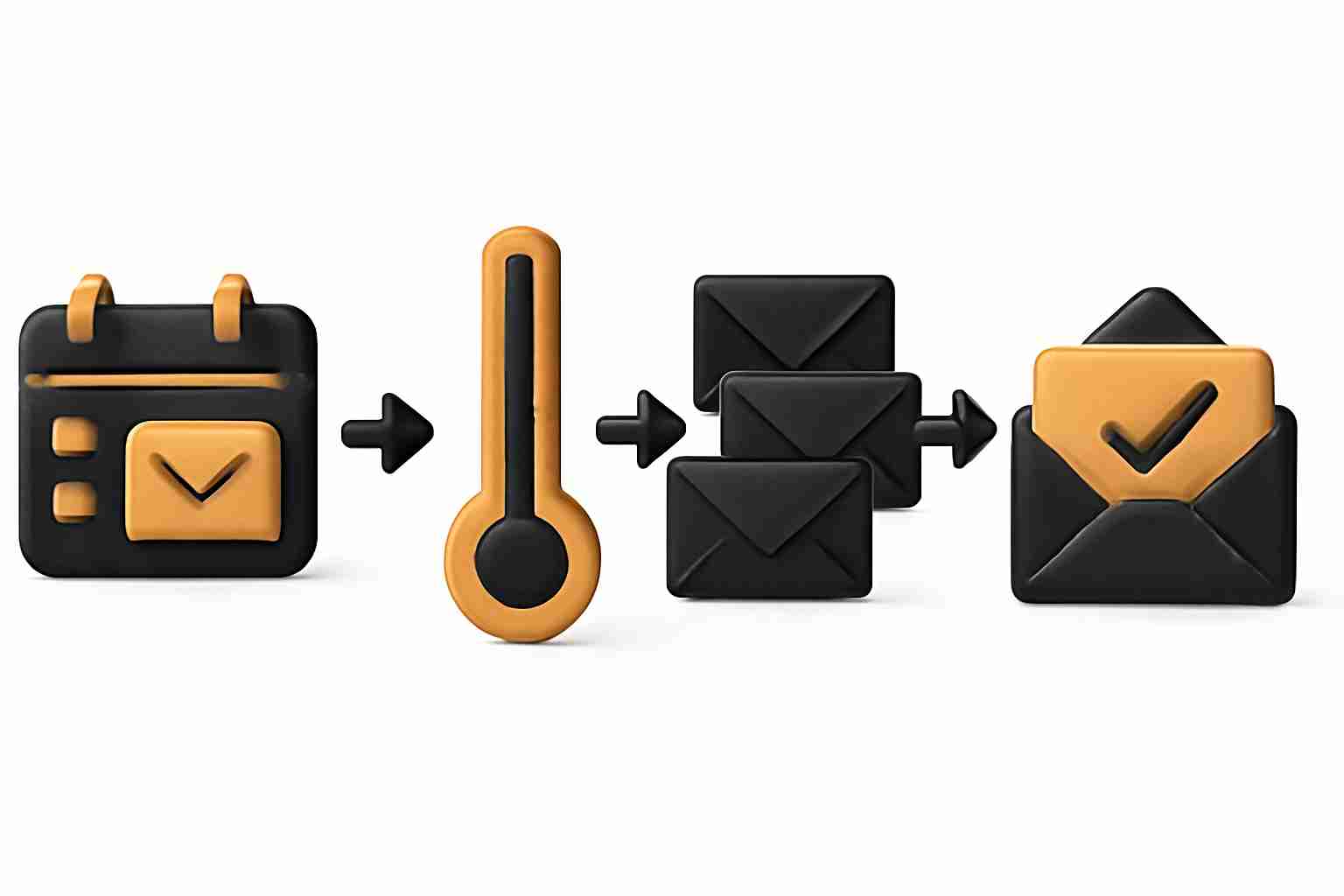
Email warmup addresses this cold-start problem by gradually increasing sending volume while generating positive engagement signals.
The process starts with small volumes to engaged recipients, slowly increases daily sends, builds a positive reputation through opens, clicks, and replies, and establishes trust before scaling to full campaigns.
Warmup is particularly relevant for new sending domains, new IP addresses (especially dedicated IPs), domains recovering from reputation damage, and cold email outreach programs.
Understanding what email warmup is and when it applies helps determine whether your deliverability issues stem from reputation problems that warmup can address, or from other factors that require different interventions.
Need to evaluate your current deliverability?
Run a free email deliverability test to identify issues.
For step-by-step fixes, review our email deliverability checklist or explore best practices for improving deliverability. Browse our complete collection of deliverability tools to find the right solutions for your needs.
For complex deliverability challenges, consider consulting an email deliverability consultant to diagnose root causes and recommend targeted fixes — all that in a free 1:1 session.
Email delivery means a receiving server accepted your email without bouncing it back. Deliverability refers to where that accepted email lands — primary inbox, promotions tab, spam folder, or quarantine. You can have perfect delivery rates while suffering poor deliverability if most accepted emails end up in spam.
Multiple factors contribute: missing or failed authentication (SPF, DKIM, DMARC), poor sender reputation, high complaint rates, spam trigger content, sending to unengaged recipients, or hitting spam traps. Usually, several issues compound rather than a single cause.
Timeline depends on severity. Authentication fixes take effect within hours. Reputation recovery typically requires 30-90 days of consistent good sending practices. Severe blacklisting or domain reputation damage may take longer and sometimes requires starting fresh with a new domain.
No. Each provider uses different filtering algorithms and weighs signals differently. You might have excellent Gmail deliverability, but struggle with Microsoft addresses. Monitoring provider-specific performance through tools like Google Postmaster Tools and Microsoft SNDS reveals where problems concentrate.
Not at all. Gmail’s Promotions tab is an inbox placement — just categorized separately from Primary. Research shows 45-51% of Gmail users actively check their Promotions tab. Spam folder placement means your email was flagged as potentially unwanted — the Promotions tab means it was recognized as commercial content and sorted accordingly.



