



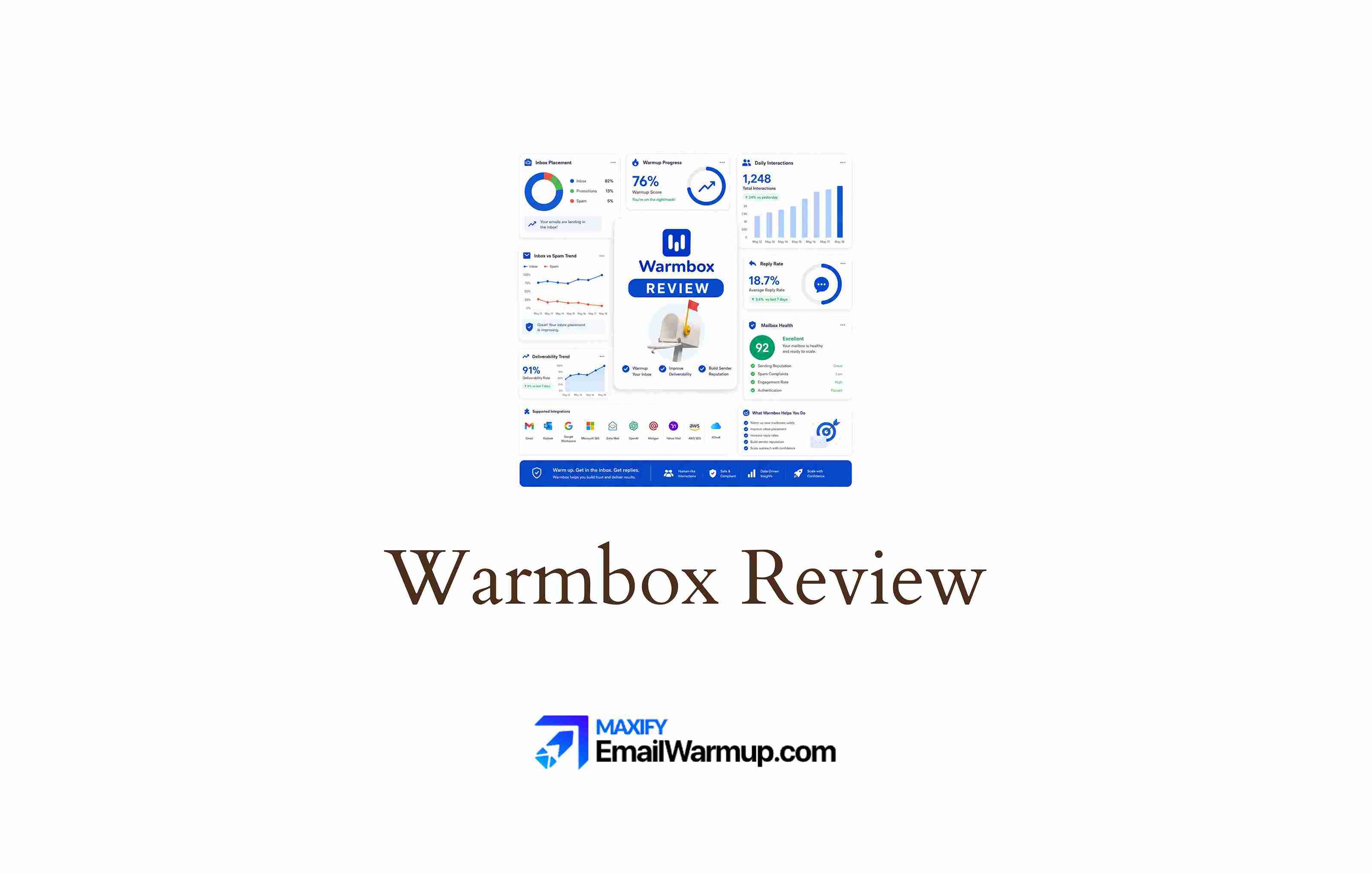
Warmbox is an automated email warmup service that sends and replies to messages through a private inbox network. The goal is straightforward — build positive engagement signals so mailbox providers treat your domain as trustworthy before you start real outreach.
From a deliverability consultant’s perspective, Warmbox does what most standalone warmup tools do.
It automates the sending and replying loop, generates opens and inbox moves, and reports on progress through a dashboard. Where it gets complicated is what Warmbox doesn’t do — and whether the price makes sense for what you get.
The platform has no public listings on G2, Capterra, or Trustpilot, which limits independent validation. Pricing runs on a per-inbox model that scales quickly for teams managing multiple mailboxes. And a warmup alone (no matter how well executed) only addresses one piece of a much larger sender reputation puzzle.
This review breaks down:
- Who it works for and who should look elsewhere
- Pricing logic and where costs stop making sense
- Whether Warmbox improves inbox placement in practice
- How it compares to a full deliverability platform approach
TLDR: Warmbox at a glance
Here is a quick snapshot of where Warmbox fits in a deliverability workflow.
| Category | Detail |
| Primary function | Automated email warmup |
| Pricing model | Per inbox, per month |
| Starting price | $19/month (1 inbox) |
| Free trial | None |
| Standout feature | Customizable warmup recipes |
| Biggest weakness | No authentication, diagnostics, or reputation tools |
| Best alternative | EmailWarmup.com |
| Overall rating | 3.0 / 5 |
Is Warmbox worth the price?
Warmbox charges per inbox, per month. The plans break down like this:
- Solo — $19/month for 1 inbox (50 emails/day)
- Start-up — $79/month for 3 inboxes (250 emails/day)
- Growth — $159/month for 6 inboxes (500 emails/day)
For a single inbox, the Solo plan is reasonable. The problem surfaces when you scale beyond that.
Warming 6 inboxes costs $159/month — roughly $26.50 per inbox — and the Growth plan caps you at 500 emails/day across those accounts, which is about 83 emails per inbox daily (well above the 50/day threshold most consultants recommend for safe warmup).
No free trial exists, so you commit before testing results. And the Start-up plan charges for team member seats — in a warmup tool, where there is rarely a reason for multiple users to log in.
Warmbox does not include email deliverability testing, SPF record validation, DKIM checks, or consultation support. You pay for warmup alone, and warmup alone rarely solves deliverability problems in full.
What Warmbox’s user feedback reveals about performance
With no presence on G2, Capterra, or Trustpilot, evaluating Warmbox depends on scattered feedback from platforms like Product Hunt and Reddit.
Positive signals
Users who warm 1-3 inboxes describe the process as hands-off. The warmup recipes (progressive ramp, flat, randomized) offer more granularity than most competitors, and the dashboard tracks opens, replies, spam placement, and daily volume clearly.
Negative signals
Multiple Product Hunt reviewers reported emails landing in spam after using Warmbox — despite the dashboard showing 0% spam rates.
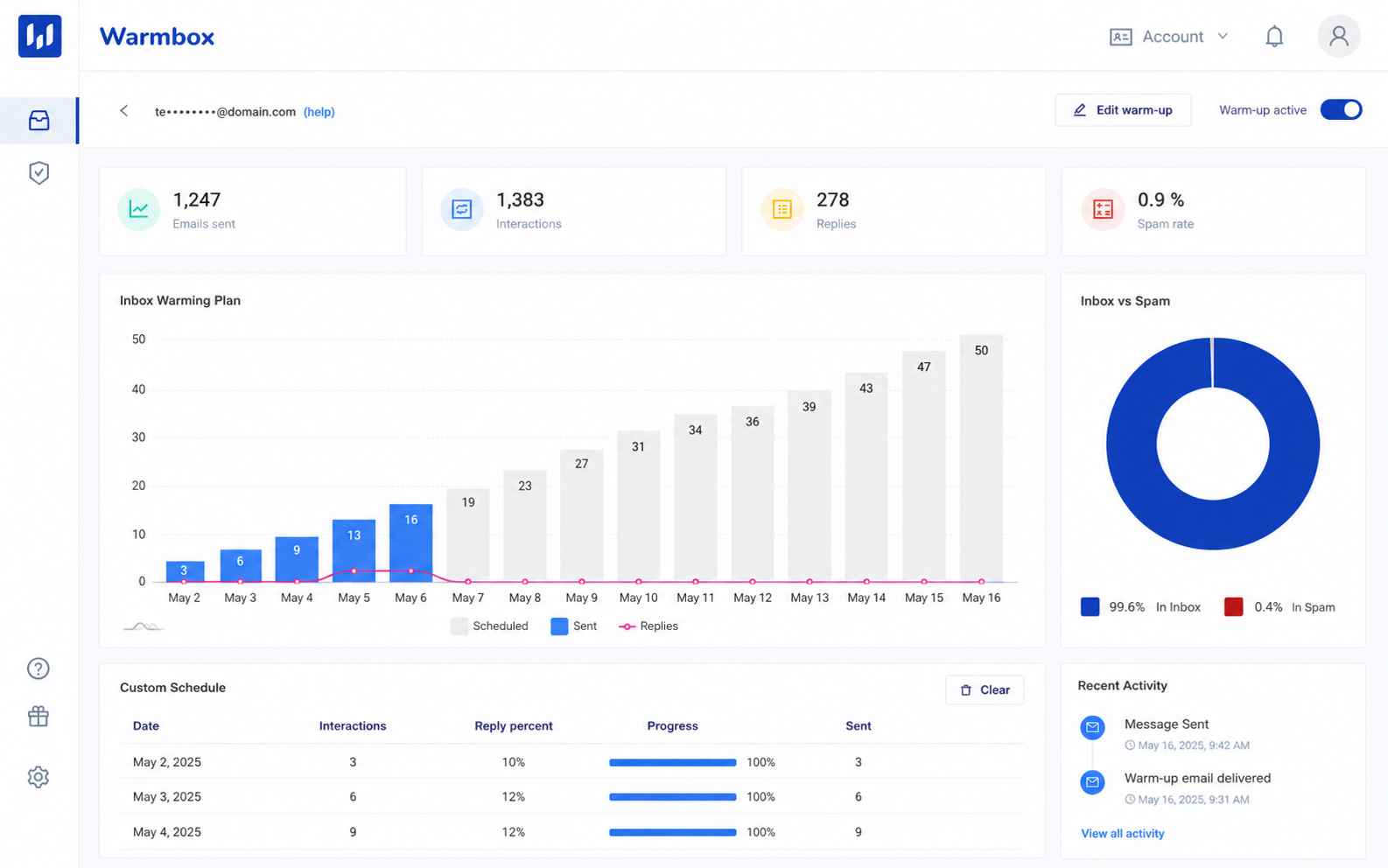
That disconnect between dashboard metrics and real-world placement is a red flag consultants often see with standalone warmup tools. If the warmup network interacts only with itself, the signals may not reflect how Gmail or Microsoft treats your actual sends.
Trust gap
The absence of verified third-party reviews makes independent validation difficult. When a deliverability tool lacks public review profiles, it is harder to separate marketing claims from operational reality.
Pros and cons of Warmbox
Warmbox does one thing — automated warmup — and does it with more customization than average. But the per-inbox pricing, missing diagnostics, and lack of third-party validation limit its value for anything beyond light use.
Who should and shouldn’t use Warmbox
Warmbox fits a narrow use case well — solo senders or small teams running a few cold email accounts. Once your operation grows, the cost and feature gaps catch up quickly.
Who should use Warmbox
- Teams that want granular warmup recipe control
- Solo senders warming 1-3 inboxes for cold outreach
- Users already familiar with warmup and not needing diagnostics
Who shouldn’t use Warmbox
- Agencies managing 10+ inboxes across client accounts
- Anyone expecting warmup alone to fix spam placement
- Teams without SPF, DKIM, and DMARC already configured
- Senders who need domain reputation monitoring or blacklist checks
Warmbox scorecard for outbound senders
| Category | Score (out of 10) | Notes |
| Warmup quality | 7 | Solid recipe options, automated engagement |
| Pricing value | 4 | Per-inbox model escalates fast |
| Deliverability impact | 5 | Warmup only — no diagnostics or auth support |
| Ease of setup | 7 | Quick connect, minimal configuration |
| Reporting depth | 5 | Dashboard is clear but surface-level |
| Scalability | 3 | Cost-prohibitive beyond a few inboxes |
| Provider support | 5 | Gmail and Outlook only |
| Overall value | 4.5 | Narrow scope at a premium price point |
How Warmbox fits into a cold email workflow
Warmbox sits at one stage of the outbound pipeline — the pre-send warmup phase. It does not contribute to authentication setup, list cleaning, content testing, or ongoing monitoring.

Setup
Connect your Gmail or Outlook inbox, choose a warmup recipe, and let it run. The process is hands-off, and most users report being operational within minutes.
Active warmup
Warmbox generates opens, replies, and inbox moves through its network.
The customizable recipes (progressive, flat, randomized, and custom) give more control than average. You can set daily minimums, maximums, and reply rates.
Monitoring
The dashboard shows scheduled emails, sent count, spam rate, replies, and interactions.
It provides enough data to confirm warmup is running — but does not tell you why emails are hitting spam or what provider-level behavior looks like.
Missing layers
There is no email list hygiene component, no inbox placement testing, no blacklist monitoring, and no consultation layer. Warmup addresses reputation building in isolation, without the diagnostic depth that teams need when things go wrong.
What happens after you stop using Warmbox?
Warmup benefits are temporary by design. Once you stop Warmbox, the automated engagement signals stop too — and your inbox returns to whatever reputation your actual sending behavior supports.
- No exportable data, reports, or audit trails carry over
- There is no consulting or remediation path built into the product
- Reputation built during warmup decays without consistent real sending
- If your authentication was never configured correctly, stopping warmup reveals the underlying problems warmup was masking
The core risk is dependency. Warmbox keeps sending positive signals as long as you pay. When you stop, you are back to relying on your infrastructure and sending practices alone — which is exactly what you should be fixing instead.
A better alternative to Warmbox | EmailWarmup.com
Warmbox’s biggest limitation is scope. It handles warmup, but nothing else. EmailWarmup.com approaches deliverability as a full system — starting with a 360° audit that identifies every issue hurting inbox placement, then providing tools and unlimited expert consultation to fix them.
Where Warmbox stops at warmup, EmailWarmup.com covers:
- Personalized warmup calibrated to your sending patterns and campaigns
- Automated email warmup that mirrors real engagement behavior
- DNS authentication tools for SPF, DKIM, and DMARC
- Unlimited deliverability consultation with real experts
- Email spam checker for pre-send diagnostics
For teams that need more than an isolated warmup loop — and most outbound teams do — EmailWarmup.com replaces the need for multiple point solutions with one platform that audits, fixes, and monitors everything that affects inbox placement.
Final verdict on Warmbox
Warmbox does warmup well enough for small-scale use.
The customizable recipes and clean dashboard give it a slight edge over the most basic warmup tools. But per-inbox pricing, missing diagnostics, and the absence of third-party reviews limit its appeal.
- Works for 1-3 inboxes on a tight, temporary warmup timeline
- Gets expensive and incomplete beyond small-scale cold email use
- No authentication support, blacklist monitoring, or expert guidance
- Warmup alone rarely fixes the root causes of poor deliverability
If warmup is one line item in a larger deliverability strategy you already manage, Warmbox can fill that gap temporarily. If you need a system that audits, diagnoses, and fixes deliverability across your infrastructure, it falls short.
Frequently asked questions about Warmbox
Here are the questions buyers typically ask before choosing Warmbox.
Warmbox builds positive engagement signals that can improve sender reputation over time. But warmup alone does not fix authentication failures, list quality problems, or content issues. It addresses one factor in a system with many moving parts.
For agencies warming many inboxes, Warmbox’s per-inbox pricing becomes a problem quickly. Six inboxes cost $159/month, and the platform offers no multi-client management, authentication tooling, or consultation support that agencies typically need.
Warmbox is not listed on major review platforms. The reasons are unclear, but it limits independent verification of performance claims. Buyers relying on third-party validation should consider this a gap.
Warmup addresses reputation signals, but emails go to spam for many reasons — poor authentication, bad list hygiene, content triggers, blacklisting, and provider-specific filtering. Warmup without diagnostics is a partial fix at best.
Most warmup tools (including Warmbox) recommend running for 2-4 weeks before starting real outbound. New domains may need longer. The timeline depends on your starting reputation and whether the rest of your infrastructure is configured correctly.



