




Your email service provider says “delivered.” But delivered where?
A 98% delivery rate can mask a 40% inbox placement rate — meaning most of your emails sit in spam or promotions tabs, where nobody checks. Checking email deliverability shows you the difference between reaching a server and reaching the inbox.
At a quick glance, you must know that:
- Deliverability testing sends emails to controlled mailboxes across providers
- Results show exact placement percentages (inbox, promotions, spam, unreceived)
- Provider-specific breakdowns reveal where you’re passing and failing
- Checking before campaigns catches problems that tank open rates
This guide covers the available checking methods, how to run a test, and what the results mean for your sending.
Why should you check email deliverability before sending campaigns?
Send reports only, confirm your email left the server — not that anyone will see it.
The gap between delivery and deliverability costs campaigns without warning. An email marked “delivered” might land in:
- Spam folder — never seen
- Primary inbox — visible immediately
- Blocked entirely — rejected before arrival
- Promotions tab — checked weekly at best
Testing reveals this reality before you burn through prospect lists. A cold email campaign sent to 10,000 contacts with 50% inbox placement means 5,000 people never had a chance to respond (and you won’t know from open rates alone — email spam filtering happens silently).
The damage compounds. Poor placement signals trigger stricter filtering on future sends. One bad campaign can shift your domain from “trusted sender” to “suspicious” across Gmail, Outlook, and Yahoo simultaneously.
What does a deliverability test actually measure?
A deliverability test sends your email to seed mailboxes across multiple providers, then checks where each copy landed.
The core metrics break down like this:
| Metric | What it measures | Why it matters |
| Inbox rate | % reaching primary inbox | Your actual visibility to recipients |
| Promotions rate | % sorted to promotions/updates tab | Reduces open rates by 40-60% |
| Spam rate | % filtered as spam | Recipients never see these |
| Unreceived rate | % blocked before delivery | Often indicates blocklisting |
Beyond placement percentages, comprehensive tests also check:
- Provider variance — how Gmail treats you versus Outlook
- Domain reputation — blocklist presence, domain age signals
- Content flags — spam trigger words, broken links, image ratios
- Authentication status — SPF lookup, DKIM lookup, DMARC lookup per provider
The provider breakdown matters more than the aggregate. A 70% overall inbox rate might mean 95% at Gmail but 30% at Outlook — revealing an authentication issue specific to Microsoft’s filters.
What are the different methods for checking deliverability?
Several approaches exist, each with tradeoffs between accuracy, effort, and coverage.
Seed list testing
Seed list testing is considered one of the most accurate methods to check email deliverability. You send emails to a network of managed mailboxes across providers (Gmail, Outlook, Yahoo, Zoho, regional services). Since you control the receiving accounts, you can verify the exact placement.
Building your own seed list requires:
- Creating accounts at each major provider
- Maintaining those accounts (inactive mailboxes get deleted)
- Manually checking each inbox after every test
Most teams use testing tools that maintain seed networks instead — same accuracy without the account management overhead.
Manual inbox checks
The manual inbox check involves sending test emails to your personal Gmail, Outlook, and Yahoo accounts, then checking where they land.
Limitations include
- Covers 3-4 providers at most
- No authentication diagnostics or content analysis
- Misses regional providers that your international prospects use
- Your personal engagement history skews results (providers trust senders you interact with regularly)
Hence, manual inbox checks are useful for spot checks, but not reliable for campaign validation.
Deliverability testing tools
Automated testing across 50+ providers with detailed diagnostics. You send one email to a provided address list — the tool checks placement across its seed network and returns a breakdown.
EmailWarmup’s email deliverability test works this way:
- Send to the seed addresses
- Receive a report within minutes showing inbox rates per provider
- Check your authentication status and content flags
The advantage over manual testing is coverage.
Your prospects use Gmail and Outlook, but they also use Zoho, ProtonMail, regional providers like GMX (40 million users in Germany) or Mail.ru (100+ million in Eastern Europe). Tools catch provider-specific issues you’d never find by checking three personal accounts.
Google Postmaster Tools
Free data from Google showing how Gmail specifically treats your domain. You get:
- Domain reputation (high, medium, low, bad)
- Spam rate from user reports
- Authentication success rates
- Delivery errors
The catch is that Google Postmaster Tools requires sending volume to generate data (typically 100+ emails daily to Gmail). The data is historical, not predictive — it shows what happened, not what will happen with your next campaign.
Hence, it’s good for ongoing monitoring, but not a substitute for pre-send testing.
Microsoft SNDS
Microsoft SNDS is Microsoft’s equivalent of Outlook and Hotmail, which shows spam complaint rates, spam trap hits, and IP reputation within the Microsoft ecosystem.
The limitations are the same as Postmaster Tools:
- Historical data
- Single provider
- Requires volume
It’s useful alongside Gmail data, but neither tool tells you where a new campaign will land before you send it.
How do you check email deliverability via a test?
The process depends on your method, but tool-based testing follows a simple pattern.
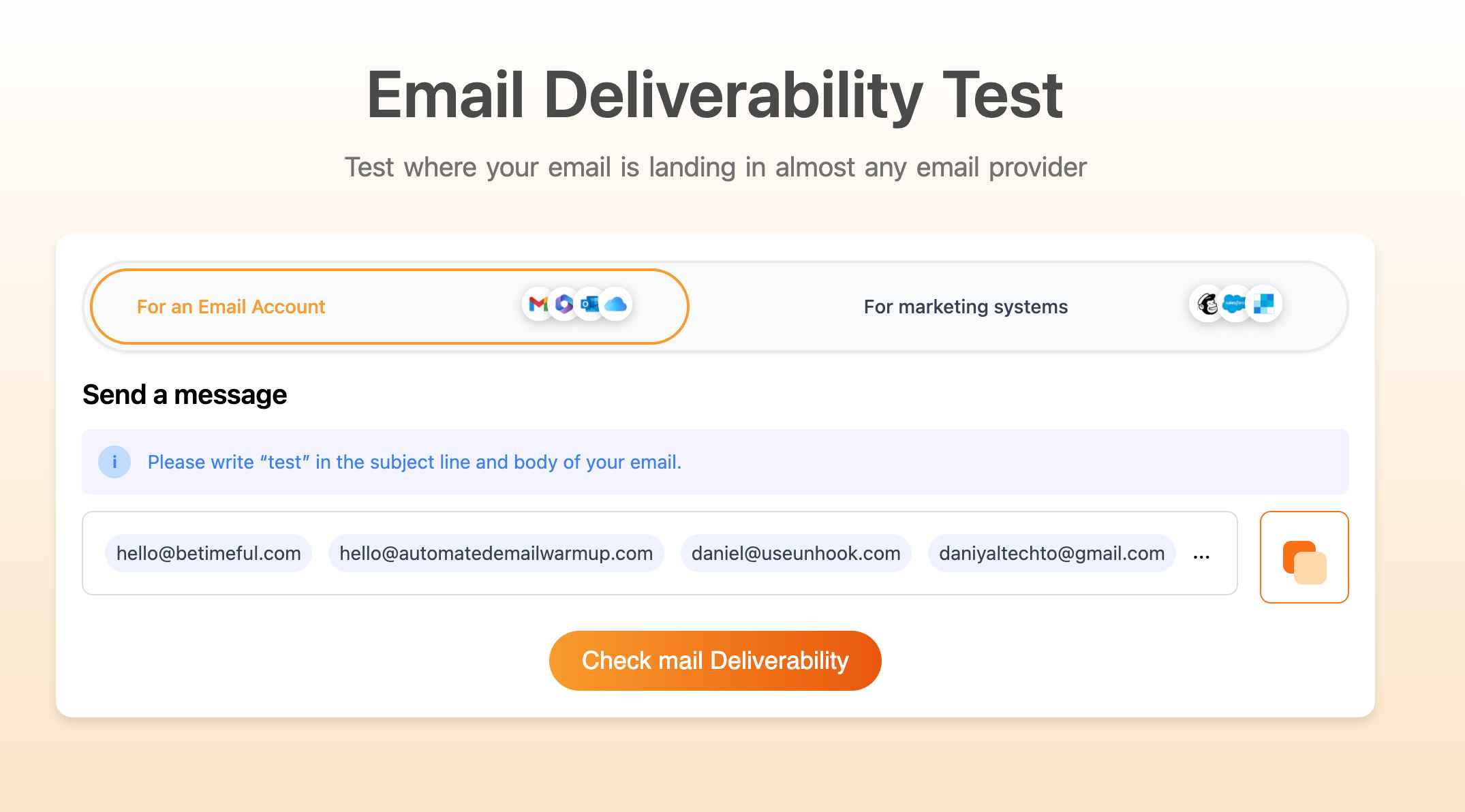
For EmailWarmup’s free test:
- Copy the seed addresses from the deliverability test page
- Open a new email in your ESP (the one you’ll use for actual campaigns)
- Paste the addresses in the “To” field
- Send with “test” as subject and body — consistency matters for accurate results
- Check results in the report (usually within 2-3 minutes)
The key detail is to send from the exact infrastructure you’ll use for real campaigns. Testing from your personal Gmail tells you nothing about how emails from your ESP will perform. Filters evaluate the sending source — domain, IP, authentication — not just content.
If you’re testing multiple sending setups (different ESPs, different domains), run separate tests for each. A domain that passes from SendGrid might fail from Mailgun if DKIM isn’t configured identically.
How do you interpret deliverability test results?
Results fall into three categories based on inbox placement rate.
Healthy results
Your sending infrastructure is working properly.
| Metric | Healthy range |
| Inbox rate | 85%+ (90%+ for cold email) |
| Spam rate | Under 5% |
| Unreceived | Under 2% |
Promotions placement isn’t ideal, but it also isn’t critical — some promotional content naturally sorts there. If you’re seeing 80%+ inbox with low spam, your setup is sound. Monitor periodically and retest after any infrastructure changes.
Warning signs
Something needs attention before it becomes a larger problem.
| Indicator | Likely cause |
| 60-80% inbox rate | Authentication gaps or early reputation issues |
| High promotions (40%+) | Content triggers or sending patterns |
| Provider-specific failures | Missing authentication for that provider |
| 2-5% unreceived | Possible blocklist or DNS issues |
At this stage, verify the authentication setup. SPF, DKIM, or DMARC failures at specific providers often explain variance.
Content analysis helps when authentication passes — spam trigger words, excessive links, or poor text-to-image ratios push emails toward promotion.
Critical issues
Deliverability is actively broken.
| Indicator | What’s happening |
| Below 50% inbox | Severe reputation damage or authentication failure |
| 10%+ spam rate | Filters are actively rejecting your domain |
| 5%+ unreceived | Likely blocklisted or hard-bouncing |
| Failing one provider entirely | Authentication or a blocklist specific to that provider |
Deliverability recovery process
Recovery requires diagnosis before action.
- Check blocklist status
- Review DMARC reports for authentication failures
- Run your domain through an email spam checker for content issues
If the problem isn’t obvious, a free consultation with an email deliverability consultant can identify root causes faster than guessing.
Provider-specific problems
When one provider fails while others pass, the issue usually lies in:
- Blocklists — some lists affect specific providers more than others
- Content filtering — Microsoft and Google use different spam models
- Sending history — past complaints at one provider don’t affect others
- Authentication — DKIM or SPF is misconfigured for that provider’s requirements
Gmail performing well while Outlook fails often points to DKIM failure and alignment issues — Microsoft enforces stricter alignment than Google in some configurations.
When should you check email deliverability?
Checking once isn’t enough. Deliverability shifts with changes in sender reputation, authentication, and provider policies.
Check before:
- Going live with a new domain
- Sending to a new segment or list
- Switching email service providers
- Launching new campaigns or sequences
Make sure you check after:
- Changing authentication records (SPF, DKIM, DMARC)
- Any email infrastructure changes at your ESP
- Removing your domain from a blocklist
- Completing email warmup
Check regularly:
- Monthly for ongoing marketing sends
- Weekly during active cold email campaigns
- Immediately, when open rates drop unexpectedly
Unexplained drops in open rates are the clearest signal that something has changed. If your 35% open rate drops to 15% without content changes, deliverability issues are the likely culprit — not subject lines.
To help you better, here’s a comprehensive email deliverability checklist with a step-by-step guide to what needs fixing.
Frequently asked questions
Here are some commonly asked questions about checking email deliverability:
Before every new campaign launch, after any infrastructure changes, and weekly during active cold email outreach. Regular testing catches problems before they damage campaign performance — waiting until open rates drop means the damage is already done.
Delivery rate measures whether the email reached the recipient’s mail server. Inbox placement measures whether it landed in the primary inbox (versus spam or promotions). A 98% delivery rate with 50% inbox placement means half your “delivered” emails are invisible to recipients.
Yes. Any ESP that lets you enter recipient addresses manually works — Gmail, Outlook, SendGrid, Mailchimp, HubSpot, Klaviyo, Salesforce, and custom SMTP. The test evaluates your sending infrastructure, so send from the exact setup you’ll use for real campaigns.
Each provider uses its own filtering algorithms and reputation systems. Authentication configured correctly for Gmail might have issues with Microsoft. Blocklists affect providers differently. Content that passes Google’s filters might trigger Yahoo’s. Provider-specific results help you target fixes where they’re needed.
No. Deliverability tests are sent to controlled seed mailboxes, not real recipients. There are no spam complaints, bounces, or engagement signals that could affect reputation. Test as often as needed without risk.



