



QuickEmailVerification is an email verification platform built for cleaning contact lists and blocking invalid addresses before they damage your sending reputation.
It supports bulk uploads, real-time API verification, and integrations with common marketing tools — and it has been around long enough to build a respectable user base (191,000+ businesses, according to its own site).
From a deliverability consultant’s standpoint, QuickEmailVerification handles the basics of list hygiene well. Syntax checks, domain validation, mailbox existence verification, disposable email detection — the standard verification stack is covered.
Where it gets less convincing is in handling high-risk scenarios (catch-all domains, spam traps, advanced threat detection) and in providing the deeper diagnostics that tie verification to actual inbox placement outcomes.
The tool sits in a crowded category. The question is whether it does enough — and whether the price-to-depth ratio holds up against platforms with stronger deliverability integration.
This review evaluates:
- Pricing across volume tiers
- Who benefits most, and who needs more
- Accuracy and verification depth for real-world sending
- Where QuickEmailVerification’s feature gaps affect deliverability
TLDR: QuickEmailVerification at a glance
Here is a quick summary of where QuickEmailVerification sits in the verification category.
| Category | Detail |
| Primary function | Email list verification (bulk + API) |
| Pricing model | Pay-as-you-go or monthly subscription |
| Starting price | $4 for 500 credits (one-time) |
| Free tier | 100 verifications/day |
| Standout feature | Developer-friendly API with clean documentation |
| Biggest weakness | Weak catch-all and spam-trap detection |
| Best alternative | EmailWarmup.com’s email validation API |
| Overall rating | 3.5 / 5 |
Is QuickEmailVerification worth the price?
QuickEmailVerification earns points on accessibility. The free tier (100 daily verifications) lets small senders clean lists without commitment, and the pay-as-you-go option starts at $4 for 500 credits with no expiry.
Monthly plans start at $25/month for 500 credits per day — which works for teams with steady verification volume. The pricing scales smoothly, and for what it covers (syntax, domain, mailbox checks), the cost-to-output ratio is competitive against larger players.
Where the value calculation breaks down:
- No catch-all validation beyond basic flagging
- Reporting that gives you results but not insights
- Spam-trap detection that users describe as limited
- No deliverability diagnostics, sender reputation tracking, or authentication checks
You save money upfront, but if verification gaps lead to higher bounce rates or missed spam traps, the cost of damage to your domain reputation far exceeds what you saved on credits.
What QuickEmailVerification’s results suggest about list cleaning
QuickEmailVerification performs well on straightforward verification tasks. The accuracy on standard domains (Gmail, Outlook, corporate) is solid — users on G2 and Capterra consistently report low bounce rates after cleaning.
Standard accuracy
The platform identifies invalid addresses, checks syntax against IETF standards, validates domains, and confirms mailbox existence through SMTP queries. For B2C lists and well-maintained databases, the results are reliable enough to trust.
Catch-all limitations
Catch-all domains — where the server accepts all incoming mail regardless of whether the mailbox exists — remain a weak point.
QuickEmailVerification flags these as “accept-all” but cannot distinguish between a real employee and a fictional address at those domains. For B2B senders targeting enterprise companies (where catch-all configurations are common), this gap has real consequences.
Spam-trap gaps
Multiple reviewers have flagged weaker detection of spam traps and high-risk addresses. If your list contains recycled traps or honeypots, a missed detection can trigger blacklisting and sustained reputation damage — a cost far higher than the verification credit.
Pros and cons of QuickEmailVerification
QuickEmailVerification gives you a clean, affordable verification workflow that handles the basics well.
The tradeoff is depth — when your lists contain catch-all domains, aging contacts, or high-risk addresses, the platform reaches its ceiling faster than competitors with more aggressive detection.
Who should and shouldn’t use QuickEmailVerification
QuickEmailVerification works best when the verification need is straightforward — clean a list, check addresses before a campaign, or protect signup forms from bad data. Once the workflow demands deeper intelligence or deliverability awareness, it runs out of room.
Who should use QuickEmailVerification
- Startups using the free tier for low-volume hygiene
- Small businesses cleaning marketing lists before campaigns
- Teams sending primarily to B2C or well-known domain contacts
- Developers integrating real-time verification into forms or CRMs
Who shouldn’t use QuickEmailVerification
- Senders needing spam-trap detection they can rely on
- Outbound B2B teams with heavy catch-all domain exposure
- High-volume senders where processing speed is a bottleneck
- Teams requiring email deliverability diagnostics tied to verification
QuickEmailVerification scorecard for email operations teams
| Category | Score (out of 10) | Notes |
| Standard accuracy | 7 | Reliable for non-catch-all domains |
| Catch-all handling | 3 | Flags but cannot resolve |
| Spam-trap detection | 4 | Multiple users report gaps |
| API quality | 8 | Clean docs, easy integration |
| Pricing value | 7 | Competitive at low-to-mid volume |
| Reporting depth | 4 | Results without analysis |
| Scalability | 5 | Slows on large lists |
| Deliverability tie-in | 2 | Verification only — no diagnostics |
| Overall value | 5 | Good basics, shallow depth |
How QuickEmailVerification fits into a list cleaning workflow
QuickEmailVerification is a pre-send hygiene layer. It sits between data collection and campaign launch, filtering out addresses that would bounce or cause damage. It does not extend into post-send monitoring, reputation management, or deliverability optimization.
Data import
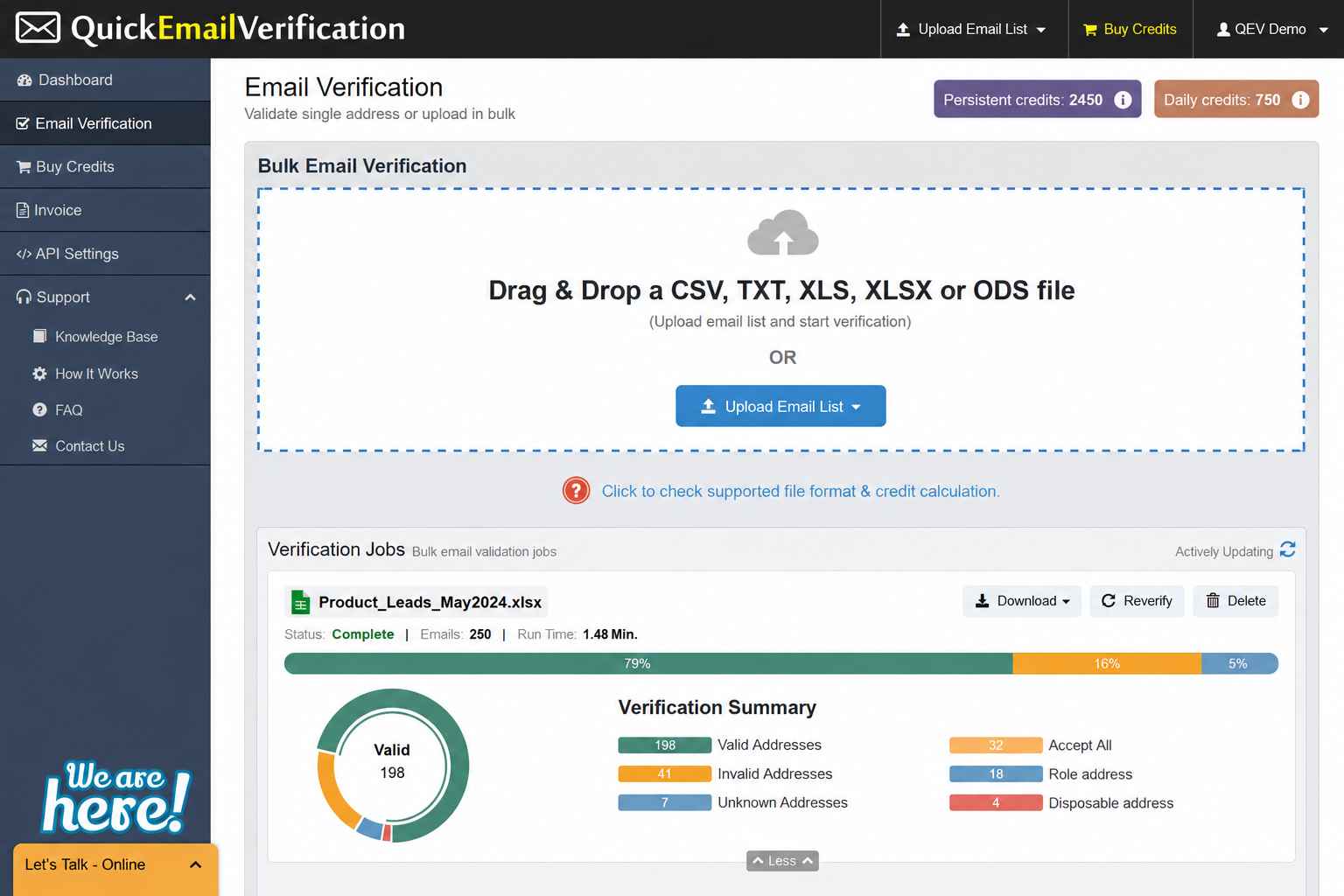
Upload CSVs, TXT, XLS, or ODS files for bulk cleaning. The platform processes 100,000 emails in about an hour (according to its documentation), though users report slower speeds on larger datasets.
Verification checks
The platform runs syntax validation, domain checks, MX record verification, SMTP queries, and disposable email screening. The stack covers the standard verification pipeline well.
Result handling
You get categorized results — valid, invalid, risky, unknown — with download options. The reporting tells you what was found but gives limited insight into why specific addresses are risky or how the results connect to your sending health.
Integration
The API integrates with common tools (Google Sheets, various CRMs), and the documentation makes integration straightforward for developers. This is one of QuickEmailVerification’s strongest areas.
What happens after you stop using QuickEmailVerification?
Verified data decays. An email address valid today can become invalid within weeks as people change jobs, abandon accounts, or companies restructure domains. Stopping verification means your list starts aging immediately.
- Re-verification on the same list requires new credits
- No ongoing monitoring, alerts, or reputation tracking carries over
- Spam traps and catch-all risks grow over time without continuous cleaning
- Cleaned lists remain usable for a limited window (72 hours is the standard recommendation for time-sensitive sends)
Verification is a recurring need, not a one-time fix. If you stop cleaning, list hygiene degrades, bounces climb, and reputation damage follows.
A better alternative to QuickEmailVerification | EmailWarmup.com
QuickEmailVerification handles basic verification, but it draws a hard line at list cleaning. It does not connect verification results to deliverability outcomes, reputation health, or infrastructure diagnostics. EmailWarmup.com’s email validation API closes that gap.
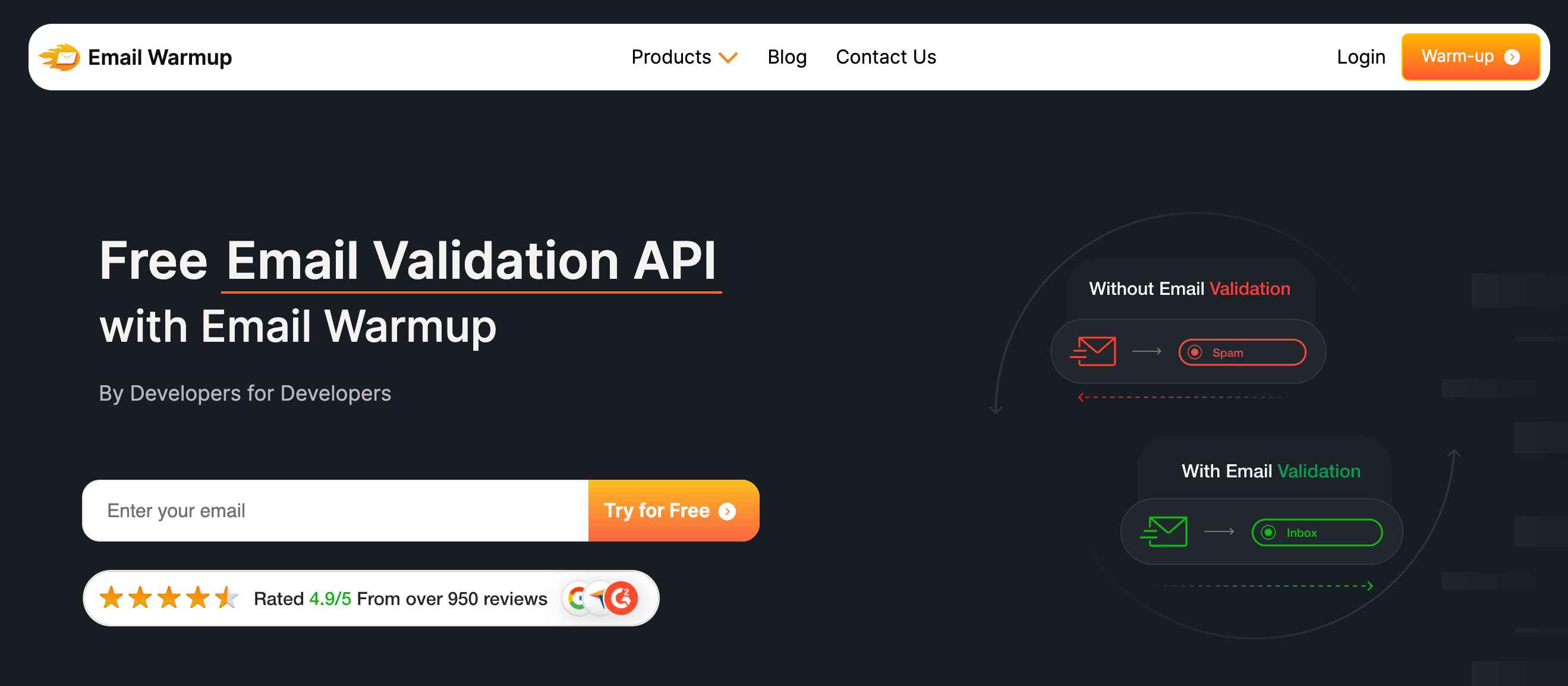
EmailWarmup.com’s validation layer goes beyond standard verification:
- SOC 2 Type II and GDPR compliance
- REST/JSON API with SDKs in 8 languages for developer integration
- Address checking blocking disposable addresses, spam traps, & typos before they enter your CRM
For teams that need verification integrated with a deliverability system (not just a list-cleaning utility), EmailWarmup.com eliminates the need to stitch together multiple tools.
Verification, warmup, diagnostics, and expert guidance sit inside one platform — and the consultation layer means you have a deliverability expert available when verification results raise questions you cannot answer alone.
Final verdict on QuickEmailVerification
QuickEmailVerification is a clean, affordable verification tool that handles the basics well. For small teams with standard lists and limited budgets, it does enough to reduce bounces and protect sender reputation from the most obvious risks.
- Affordable pricing with a free daily tier
- Reliable syntax, domain, and mailbox verification
- No deliverability diagnostics or infrastructure support
- Catches the easy problems — invalid, disposable, and inactive addresses
- Falls short on catch-all resolution, spam-trap depth, and reporting intelligence
If verification is one step in a workflow you already manage, QuickEmailVerification can fill that slot at low cost. If you need verification that connects to deliverability outcomes and provides guidance when problems arise, the platform leaves you wanting more.
Frequently asked questions about QuickEmailVerification
Here are the questions senders commonly ask before choosing QuickEmailVerification:
For standard domains, accuracy is strong. Where it struggles is catch-all domains (common in enterprise B2B) and spam-trap detection. If your outbound lists lean heavily toward corporate contacts, you may need a verifier with deeper catch-all analysis.
The platform flags catch-all addresses but cannot determine whether a specific mailbox exists at those domains. You get a “catch-all” label, and the decision to send falls to you — a risk many outbound teams prefer to avoid.
At 100 verifications per day, the free tier works for very low-volume list maintenance. If you clean lists regularly or manage more than a few hundred contacts, you will need a paid plan quickly.
It includes basic spam trap detection, but multiple user reviews note that detection could be stronger. For senders where spam-trap exposure is a known risk, this is a meaningful gap.
Verification removes bad addresses, but deliverability depends on many factors — authentication, reputation, content, sending patterns, and infrastructure. Cleaning a list helps, but it does not replace a full deliverability audit.



